Workflow Faces Association in HGrid247-3.5
Purpose
This workflow is used to:
- Shows the relationship (association) between faces
- Visualizing facial feature matches (facial keypoints)
- Produces an image with connection lines between facial features.
Different from Face Similarity (numbers), here the output is in the form of a visualization.
Concept Face Association
Face Association is a development of:
- Face Detection
- Feature Extraction
- Feature Matching (visual)
Output:
Image contains:
- two faces
- feature points (eyes, nose, mouth)
- connection lines between matching points
Step 1 – Copy Workflow
From:
WFImageAssociation
Become:
WFFaceAssociation
Reuse previous pipeline (image association)
Step 2 – Transformator_4 Modification
Open workflow
WFFaceAssociation
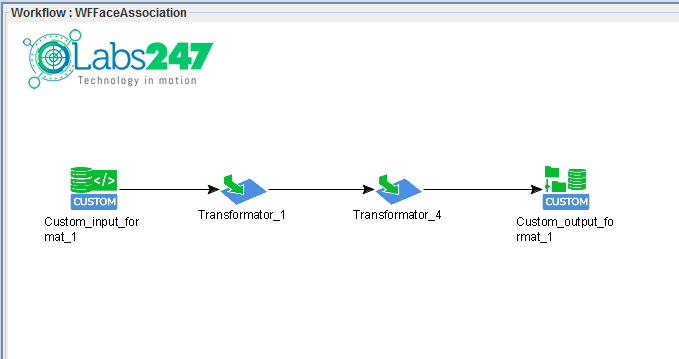
On Transformator_4 :
Delete function:
KeyPointsAssociation


Because it will be replaced with a special face version
Step 3 – Adding FaceAssociation
Add function:
KeyPointsFaceAssociation
Input-Output Relationship
    image1 ─┐
            ├── KeyPointsFaceAssociation ──> img_association
    image2 ─┘
Important Parameters
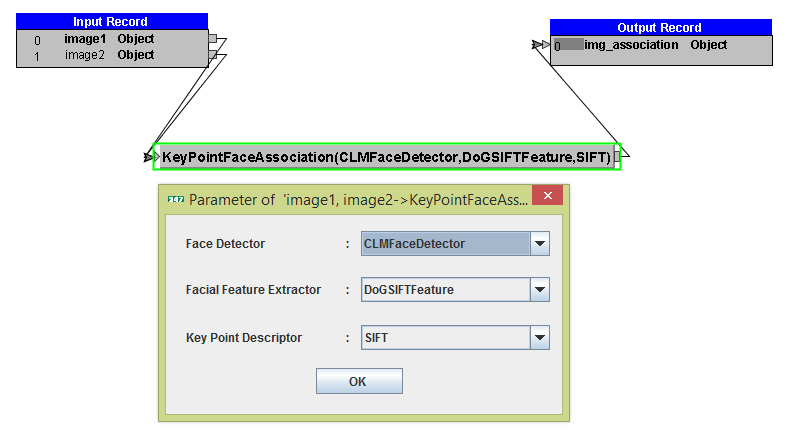
1. Face Detector
CLMFaceDetector
Function:
- detect facial area
- ignore the background
2. Facial Feature Extractor
DoGSIFTFeature
Function:
taking facial features:
3. Key Point Descriptor
SIFT
Function:
-
match facial features between images
Step 4 – Compile Workflow
Click:
Generate ( )
)
Output:
workshop_mr.jar
Step 5 – Running on Hadoop
Run on an Apache Hadoop cluster :
hadoop jar workshop_mr.jar workshop.WFFaceAssociation photo output_f_association photo/photo1.jpg
Parameter
    Parameter               Description
    --------------------------------------
    photo                   facial dataset
    output_f_association    results folder
    photo1.jpg              reference face
Output Results
The output is in the form of a visual association image of a face , for example:
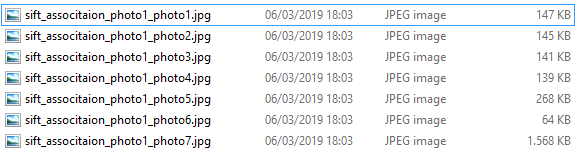
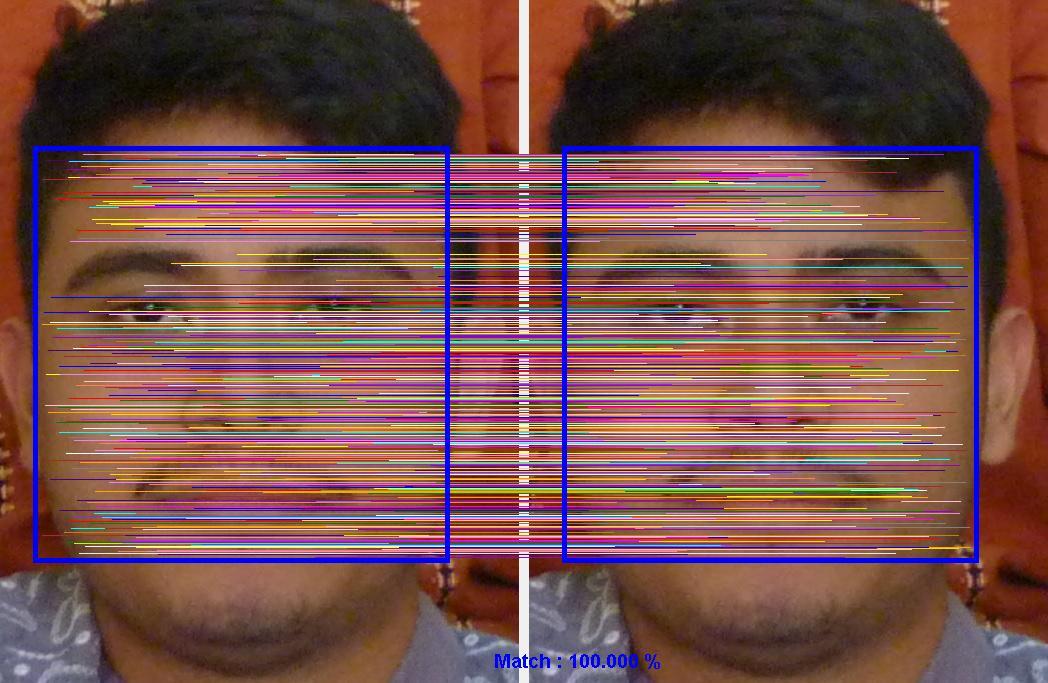
Face Image association of photo1.jpg and photo1.jpg
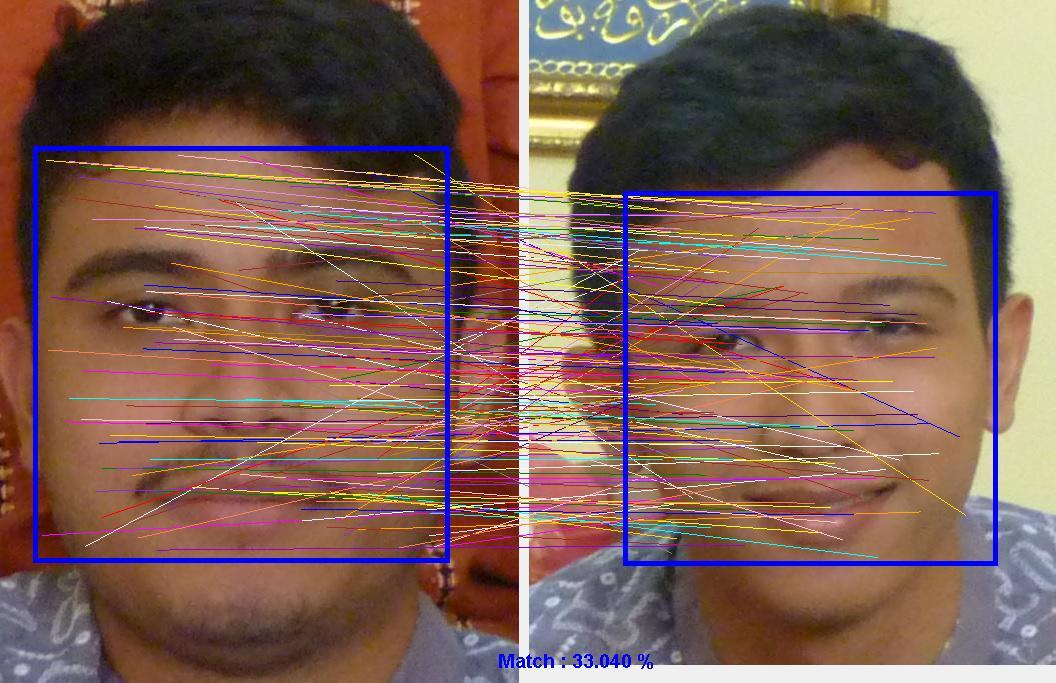
Face Image association of photo1.jpg and photo2.jpg
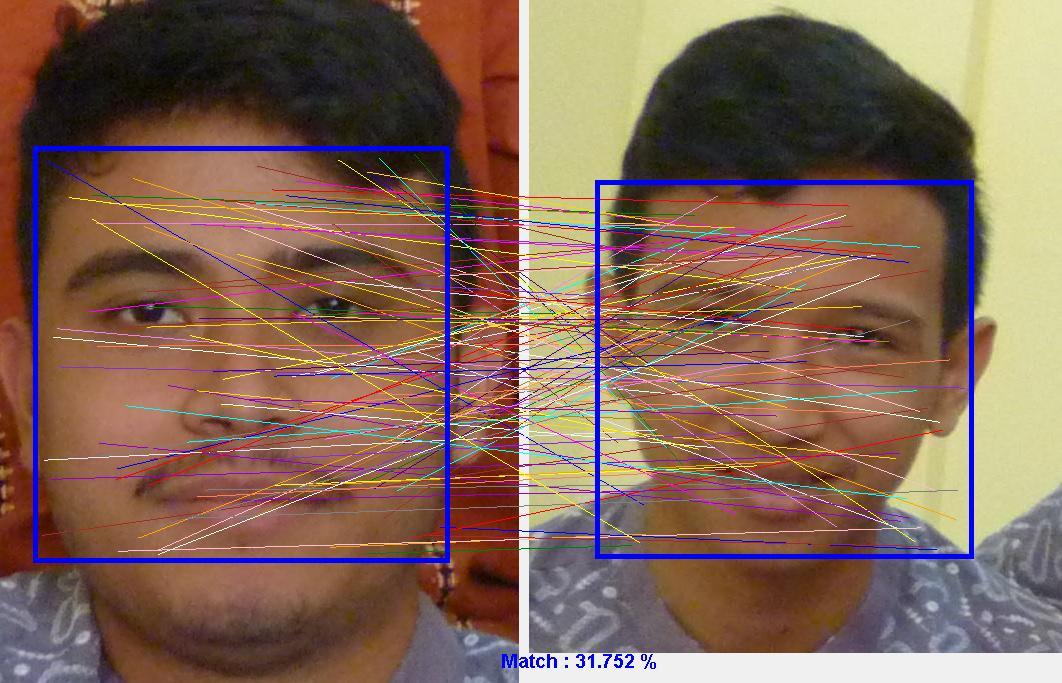
Face Image association of photo1.jpg and photo3.jpg
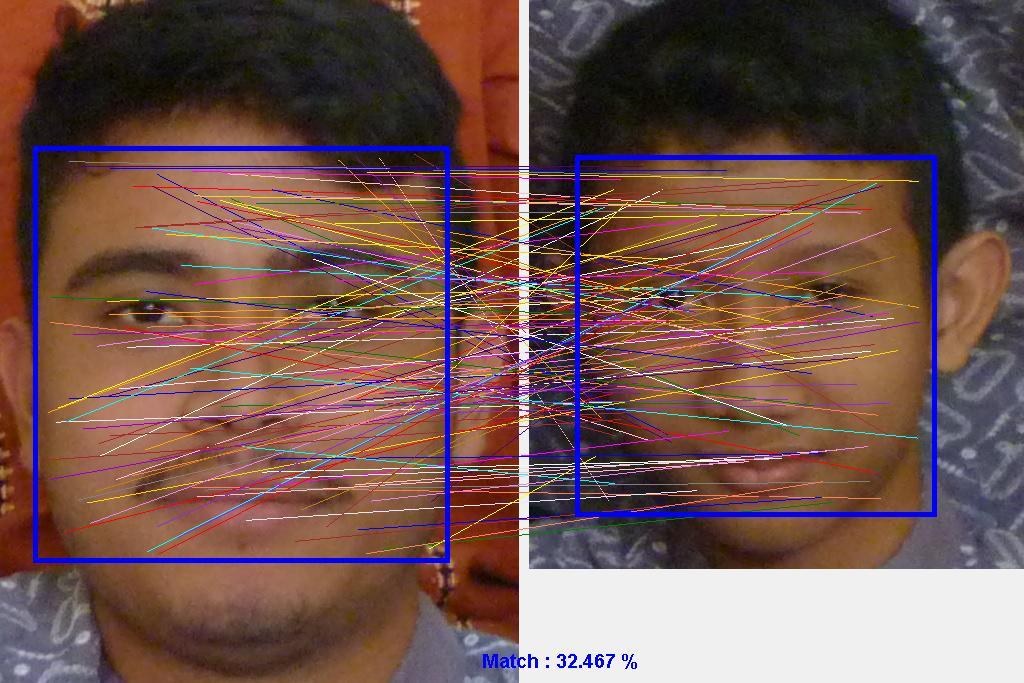
Face Image association of photo1.jpg and photo4.jpg
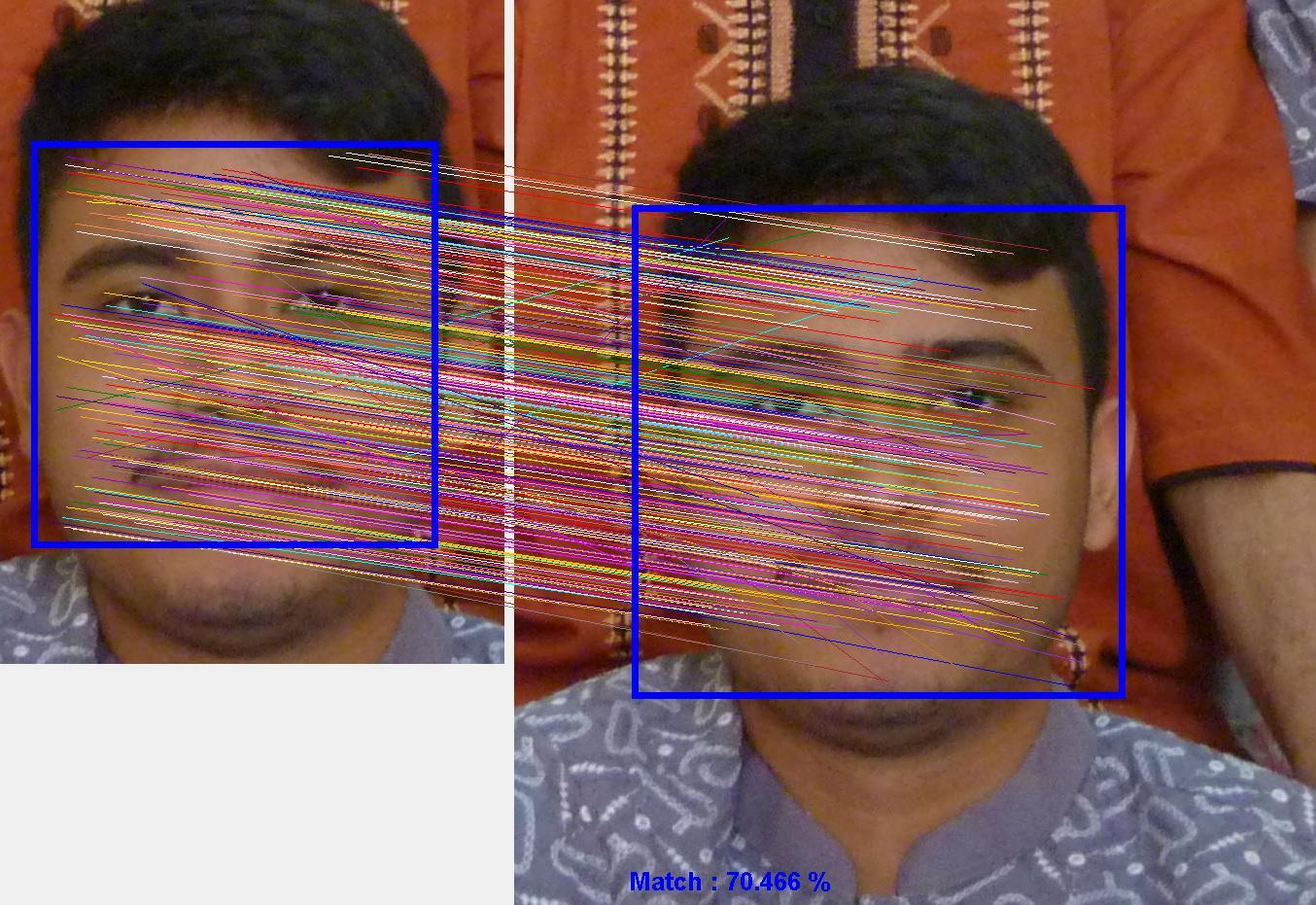
Face Image association of photo1.jpg and photo5.jpg
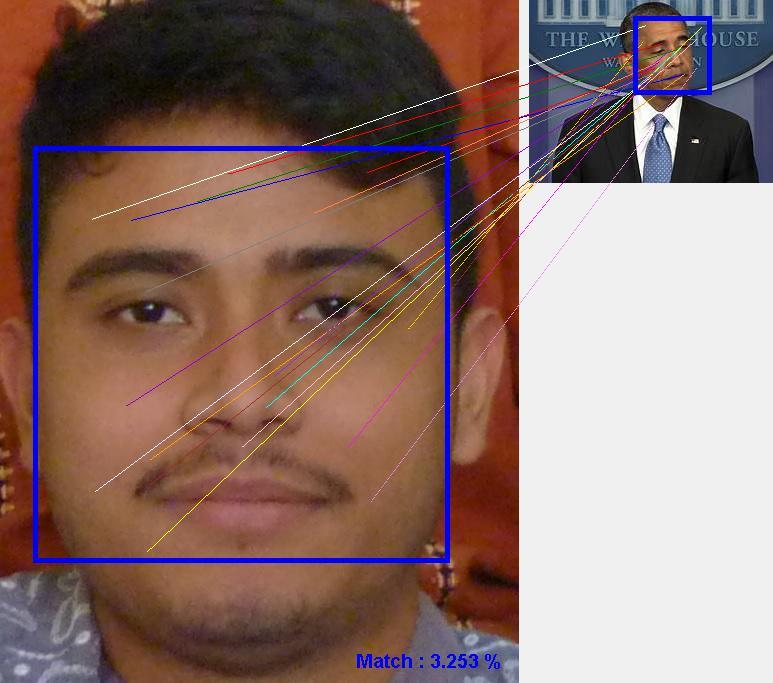
Face Image association of photo1.jpg and photo6.jpg
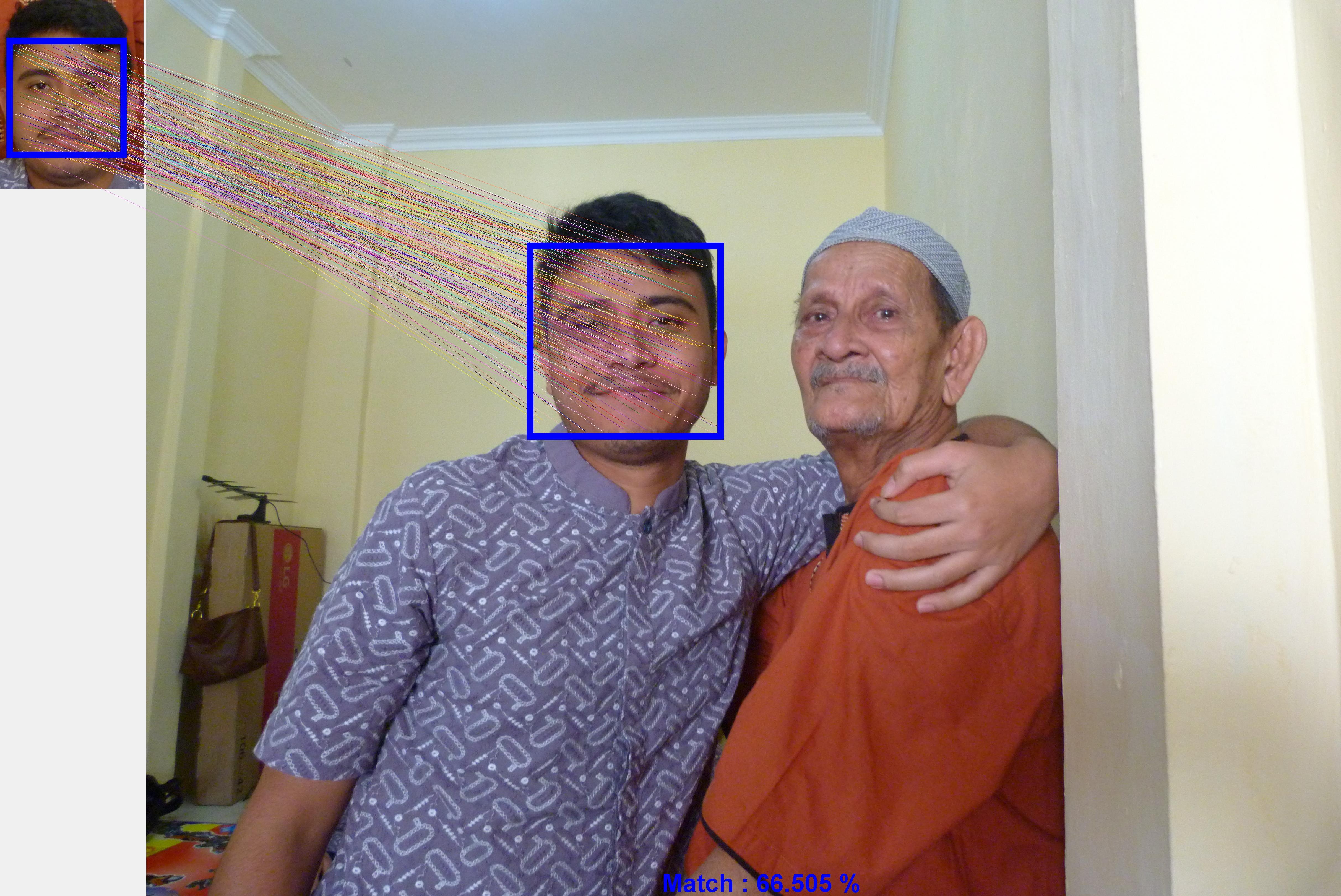
Face Image association of photo1.jpg and photo7.jpg
Comparisson Face Similarity vs Face Association
    Aspect              Face Similarity         Face Association
    Output              Number                  Picture
    Function            FaceSimilarity          KeyPointsFaceAssociation
    Focus               Similarity value	Visual relationship
    Interpretation	Statistics              Visual
Note : The file of workflow WFFaceAssociation can be found in the following link :
WFFaceAssociation.csd
