Workflow Image Association in HGrid247-3.5
This workflow was created using HGrid247 and ran on an Apache Hadoop cluster .
Purpose
In contrast to Image Similarity , this workflow aims to:
- Displays the relationship (association) between images
- Shows matching keypoints between two images
- Produces visualization of points of similarity
The output is not a number, but an image of the result of feature matching.
Konsep Image Association
If similarity only produces numbers:
cover4 vs cover3 = 0.49
So the association produces:
visual connection lines between keypoints
Example:
- Same corner point of book
- Identical image patterns
- Suitable texture
Methods used:
SIFT (Scale Invariant Feature Transform)
Step 1 – Copy Workflow
- Right click:
WFImageSimilarity
- Choose:
Copy Workflow
- New name:
WFImageAssociation
The goal: reuse the pipeline without creating it from scratch
Step 2 – Modify Workflow
Remove the following components:
    transformator_2
    GroupBy_1
    transformator_3
    Hfs_sink_1
Because:
- No need for similarity value
- No need to sort
- Focus on visual association
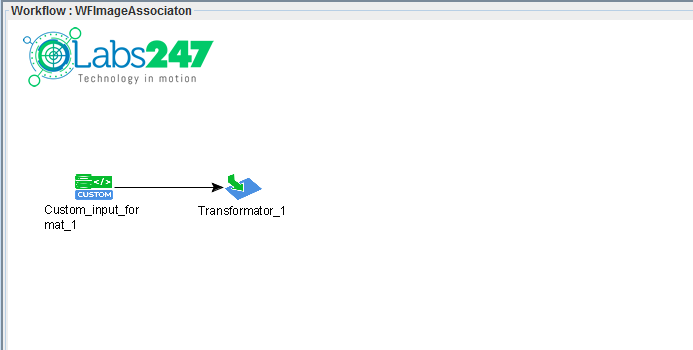
Step 3 – Image Association Processing
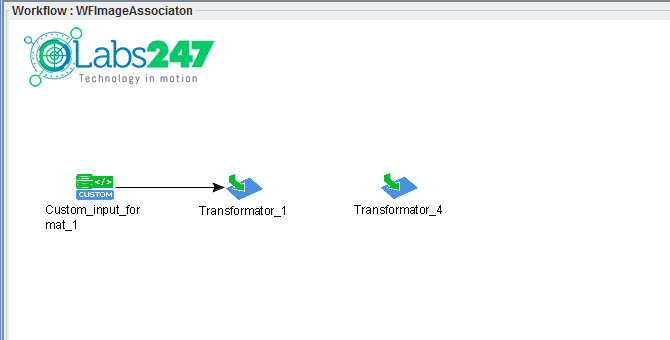
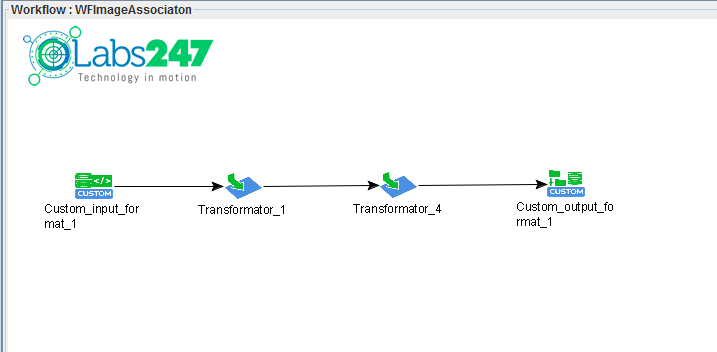
Add Transformator (

)
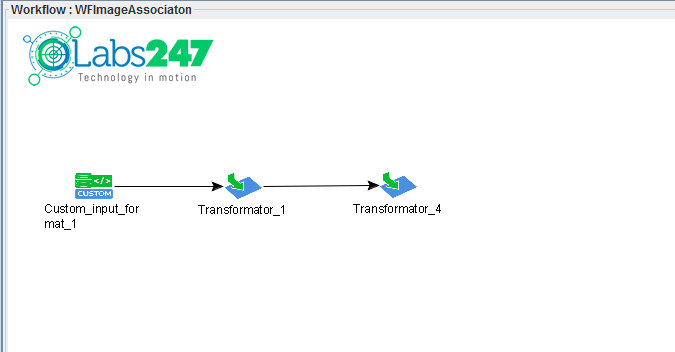
Connect:
Transformator_1 → Transformator_4
Output Field
img_association : Object
Main Functions
Use the function:
KeyPointsAssociation
Relation:
    image1 ─┐
            ├── KeyPointsAssociation ──> img_association
    image2 ─┘
Parameter
Key Point Descriptor Method:
SIFT
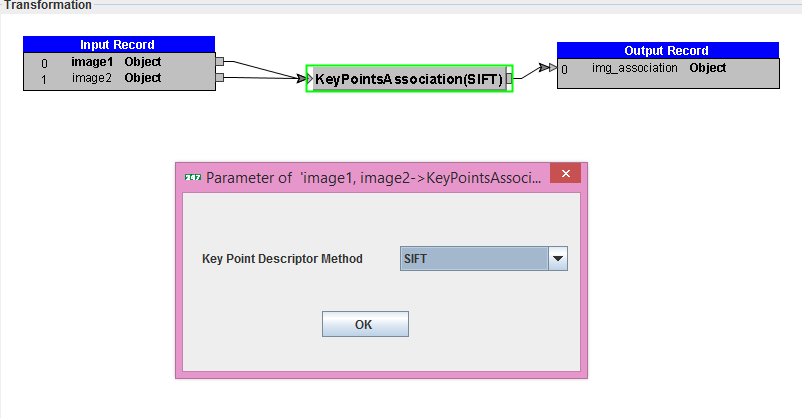
This function will:
- detect keypoints on both images
- match keypoints
- produce an image with connection lines
Step 4 – Saving Results to HDFS
Add Custom Sink (

)
Relation:
Transformator_4 → Custom_output_format_1
Use Output Format:
com.solusi247.image.ImageOutputFormat
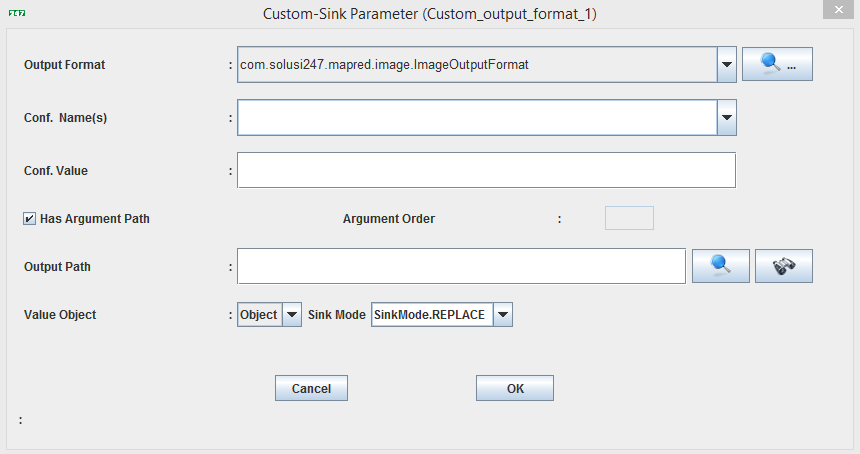
Output is an image file (not text)
Step 5 – Compile Workflow
Click:
Generate ( )
)
Output:
workshop_mr.jar
Step 6 – Running the Workflow
Command:
hadoop jar workshop_mr.jar workshop.WFImageAssociation book output_association book/cover4.jpg
Parameter
    Parameter               Description
    -------------------------------------
    book                    image dataset
    output_association      results folder
    cover4.jpg              reference image
Output Results
The results are in the form of visual association images , for example:
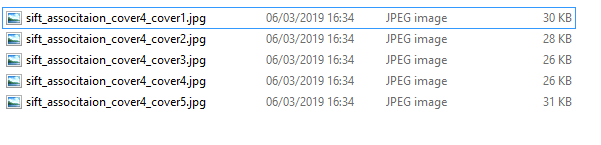
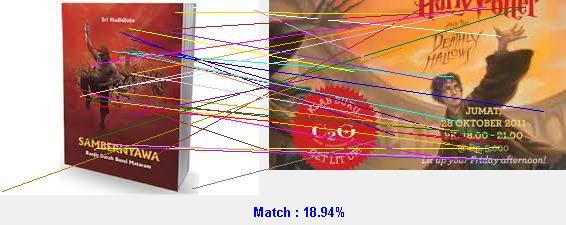
Image association of cover4.jpg and cover1.jpg
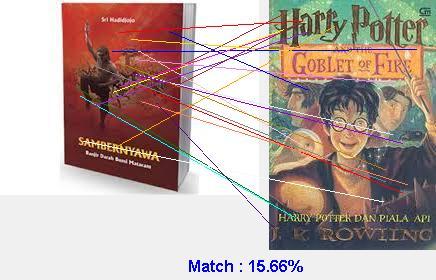
Image association of cover4.jpg and cover2.jpg
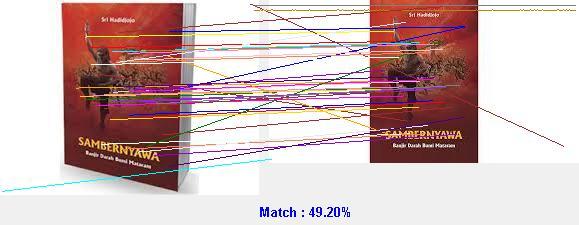
Image association of cover4.jpg and cover3.jpg
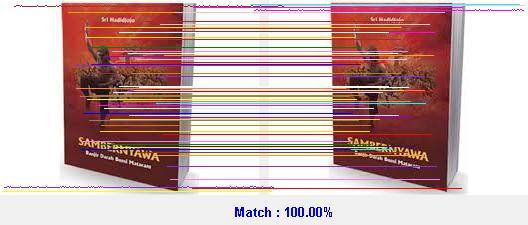
Image association of cover4.jpg and cover4.jpg
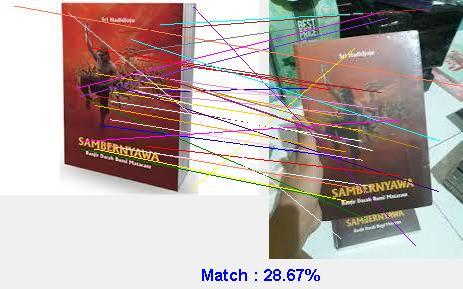
Image association of cover4.jpg and cover5.jpg
Note : The file of workflow WFImageAssociation can be found in the following link :
WFImageAssociation.csd
