Creating a Data Cleansing Workflow in HGrid247-3.5
In HGrid247 version 3.5, workflows are used to describe the flow of data processing from source to final destination . Workflows typically consist of three main components:
- Source → data source
- Assembly → data transformation or processing process
- Sink/Destination → final result storage place
This workflow is often run on Big Data platforms such as:
- Apache Hadoop
- Apache Spark
- Apache Tez
- Apache Flink
- Apache Beam
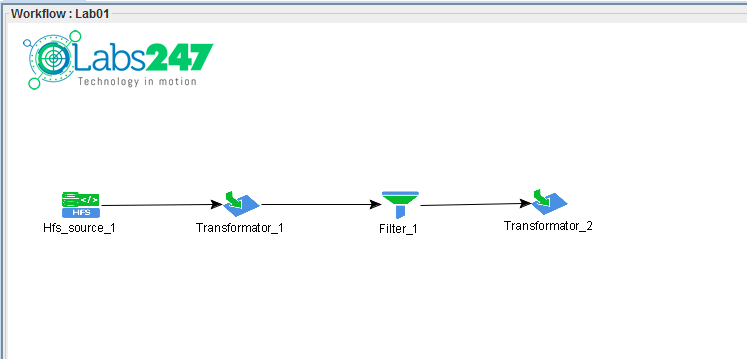
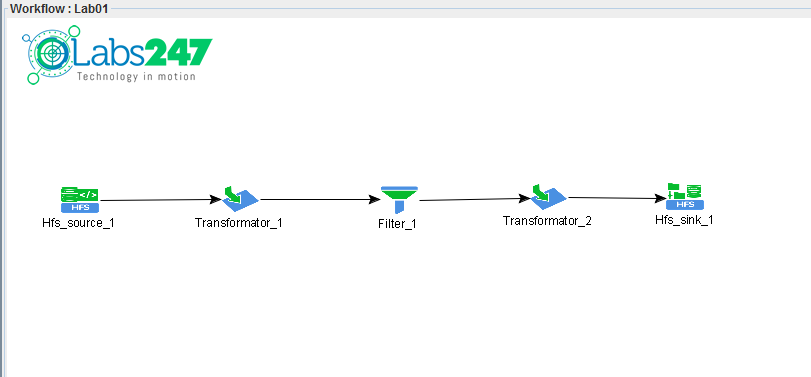
In this guide, a workflow is created to clean (data cleanse) a YouTube video dataset .
Step 1 – Create a new workflow
The first step is to create a new workflow.
The steps:
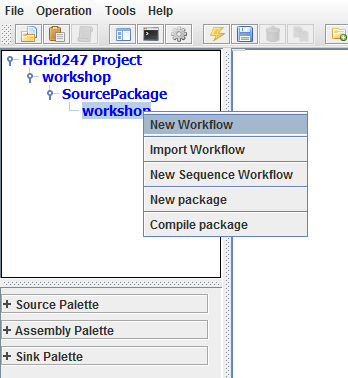
- Right click on the workshop package
- Select New Workflow
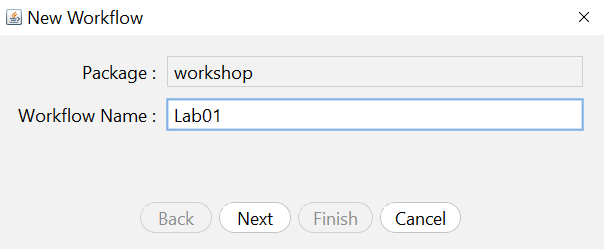
Enter the workflow name:
Lab01
After pressing Finish , a workflow canvas will appear to draw the data processing flow.
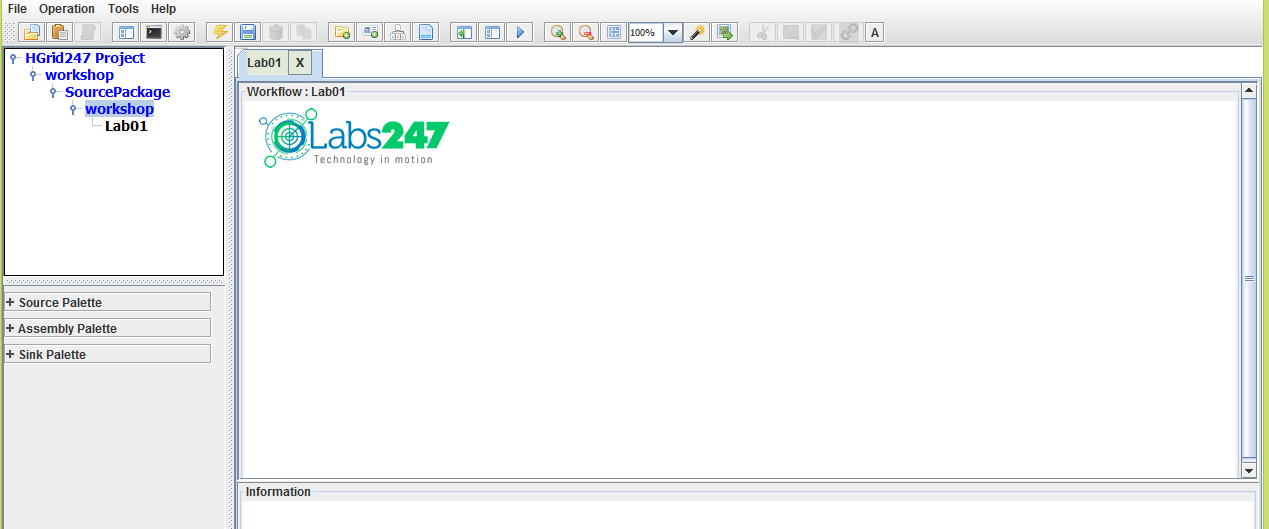
Step 2 – Define Source Data dan Assembly
At this stage we determine the data sources and initial transformation processes. .
The steps:
- From the Source Palette , drag Hfs (
 )
)
- From the Assembly Palette , drag the Transformator (
 )
)
- Place both of them on the workflow canvas
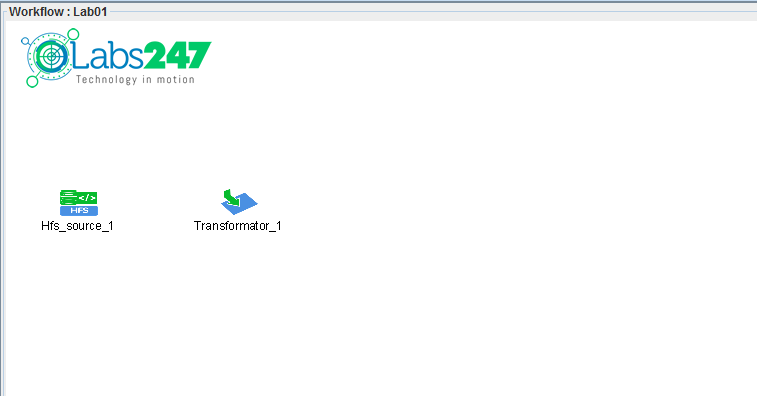
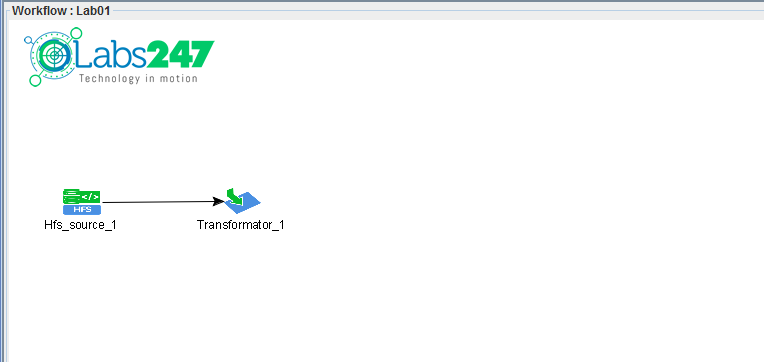
Then create a link from, pushing-and-holding left mouse-button on Hfs Source, move to Transformator and release the mouse:
Hfs Source → Transformator
Link created with:
- click and hold the mouse on the source
- pull to the transformator
- release the mouse
Step 3 – Transform Text Line into Record
The goal of the first transformer is to break a CSV text line into records with specific fields. .
Fields created:
    video_id
    title
    channel_title
    category_id
    tags
    views
    likes
    dislikes
    comment_total
    thumbnail_link
    date
The steps:
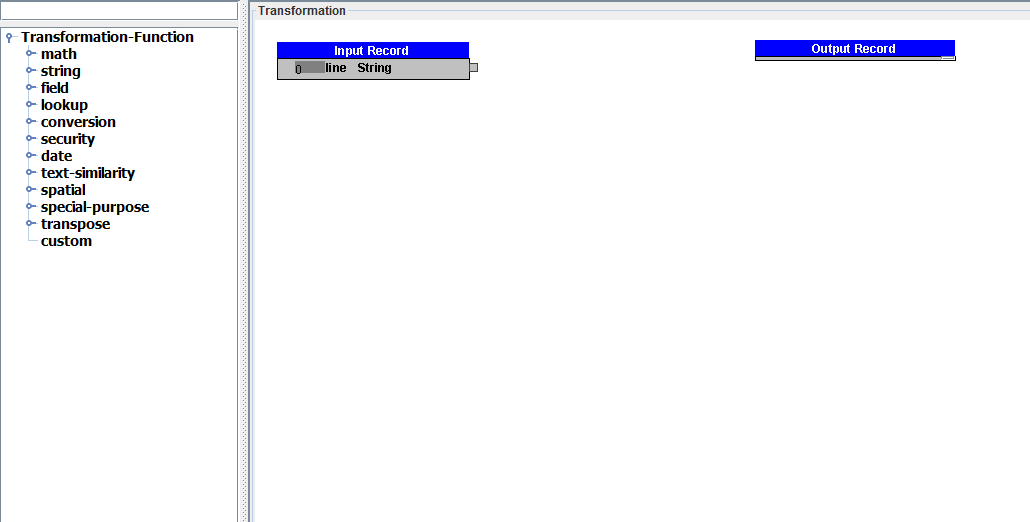
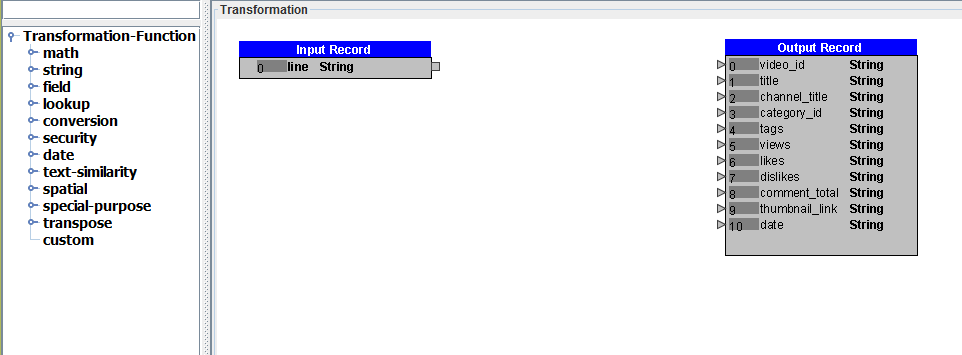
- Double click transformator_1
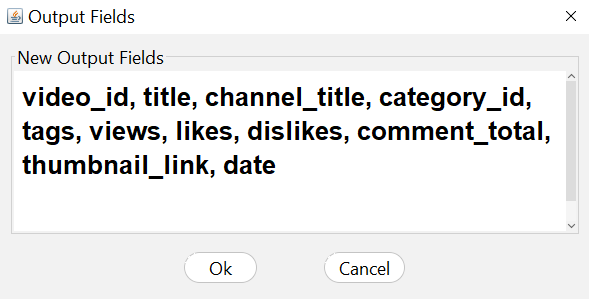
- Add Output Fields
- Enter the field name as above
Then use the RegexSplitter transformation function transformation function .
Steps:
- Drag RegexSplitter from the transform panel
- Connect the line field to the RegexSplitter
- Fill the String Splitter with:
,
Click right mouse button on RegexSplitter
Then select:
Link To All Output Fields
Then click :
OK
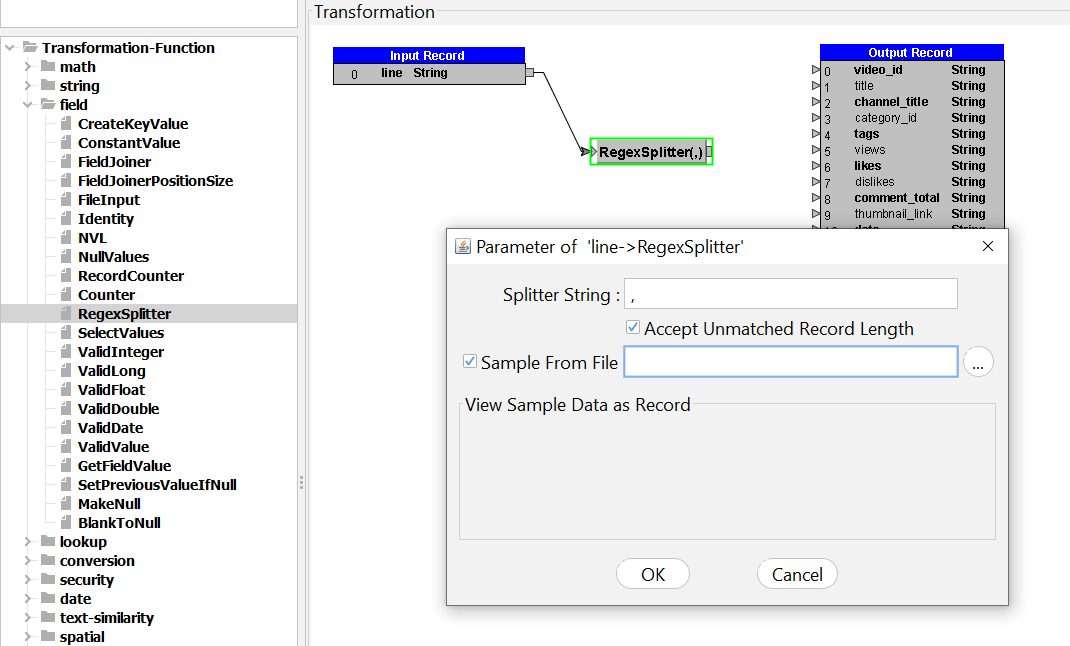
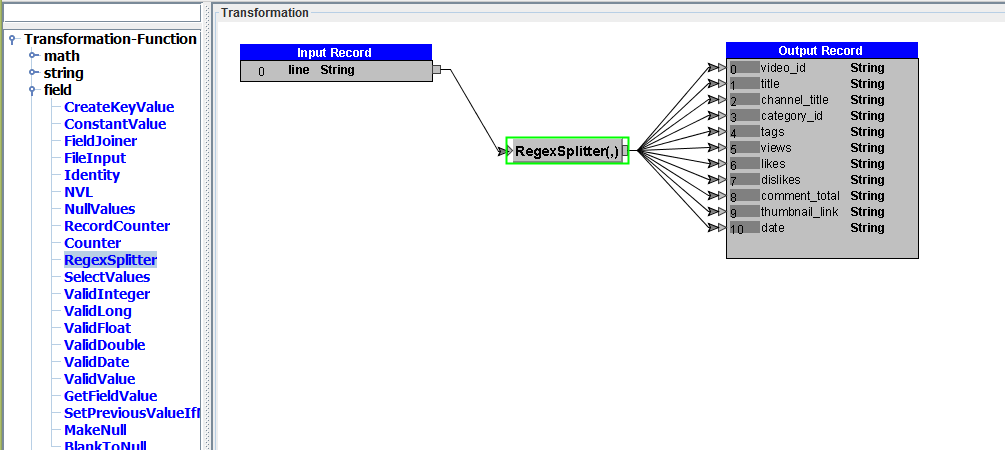
This function splits CSV rows into columns.
Step 4 – Removing Invalid Records
At this stage we remove data that does not have a video_id .
Steps:
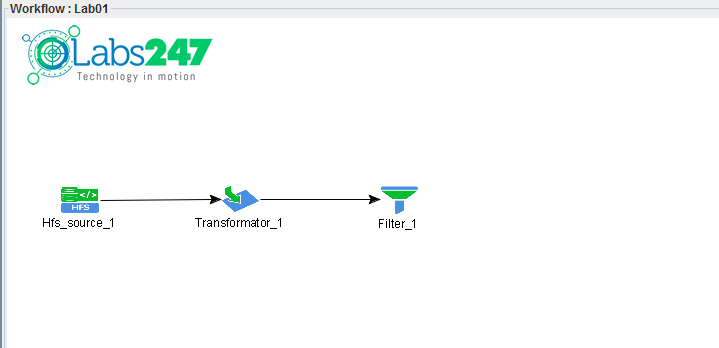
Double click filter_1
Create conditions:
video_id is not null
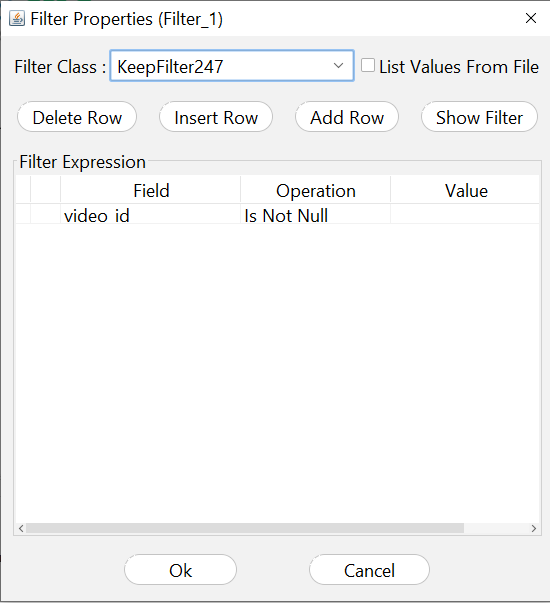
The goal is to remove empty or invalid records.
Step 5 – Value Transformation and Date Format
At this stage some data cleaning is done.
Transformations carried out:
    Field               Transformation
    views               '' → 0
    likes               '' → 0
    dislikes            '' → 0
    comment_total	'' → 0
    date                change the format to YYYYMMdd
Steps:
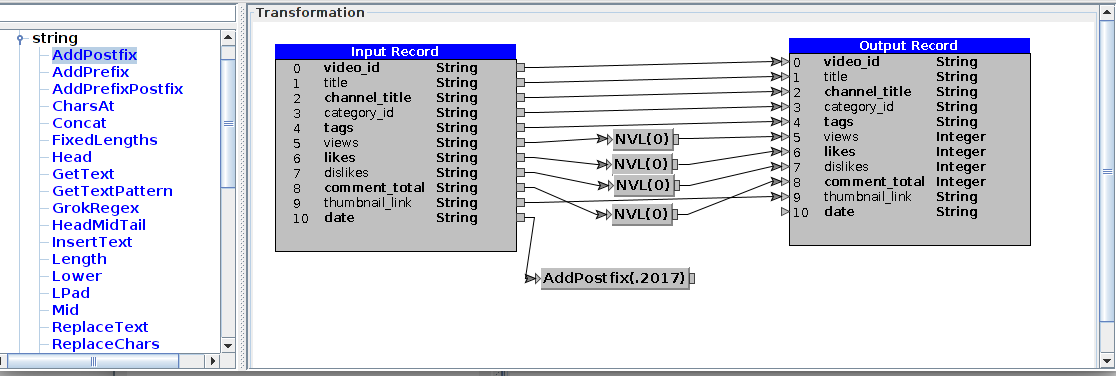
- Add transformator ()
- Connect:
filter_1 → transformator_2
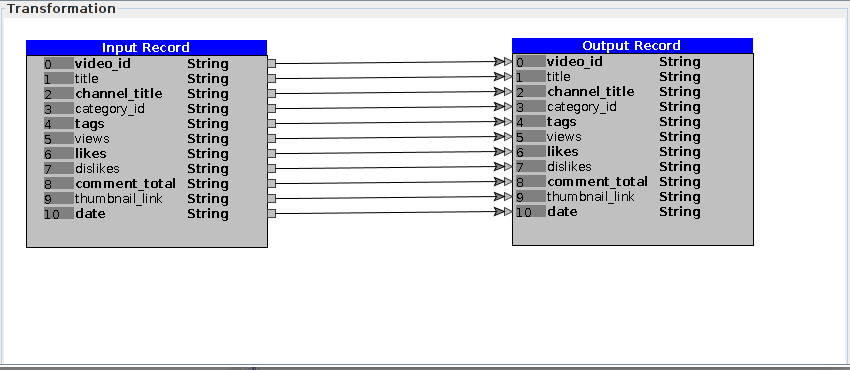
- Click Right Mouse Button on 'Output Record' then select 'Identity All' to copy all input fields to the output.
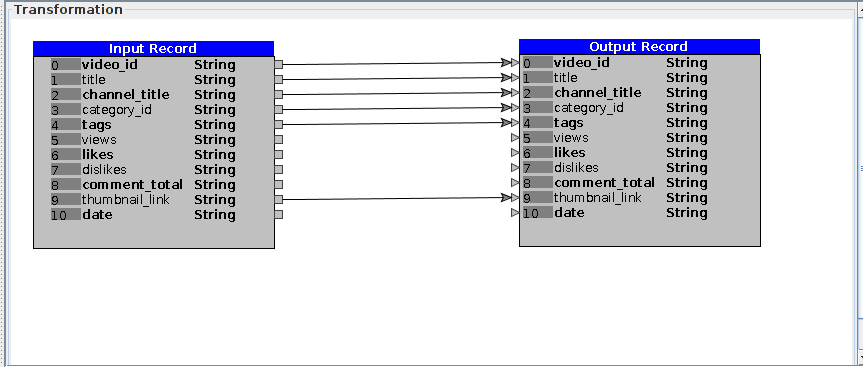
- Delete link (by clicking link then push Delete key-pad) from fields :
views,comment_total, likes, dislikes, and date.
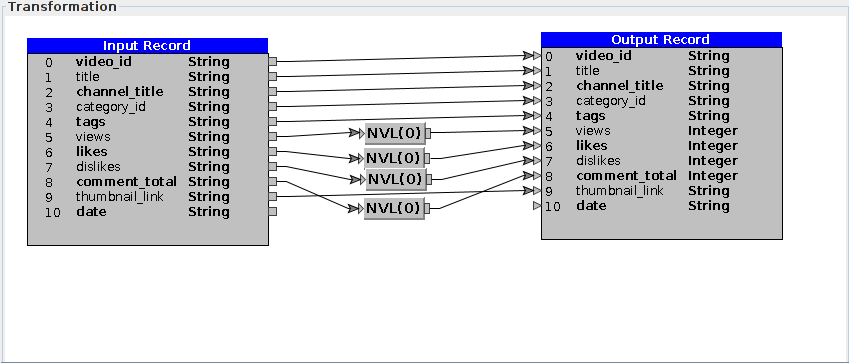
Then do the following transformation.
Replacing Empty Values to 0
Use the NVL function .
Steps:
- Drag NVL function
- Connect:
views → NVL → views
- Fill in the default values:
0
Do the same steps for:
    likes
    dislikes
    comment_total
Then change the data type to Integer .
Changing the Date Format
Initial date format:
13.09
Become:
20170913
Transformation steps:
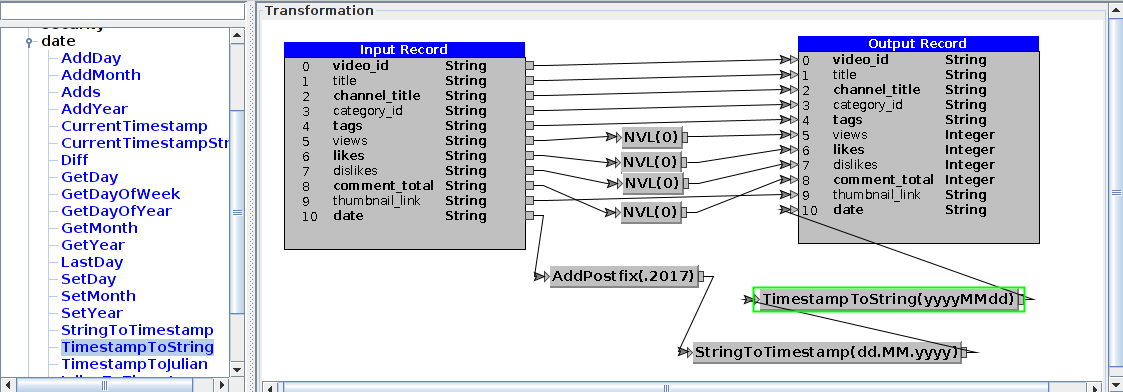
- Use the AddPostfix function
- Add postfix:
.2017
So that becomes:
13.09.2017
Then do the following transformation:
- StringToTimestamp
Parameter, format string:
dd.MM.yyyy
- TimestampToString
Parameter, format string:
yyyyMMdd
Step 6 – Adding a Sink
The final stage is to determine the purpose of data storage .
Steps:
This sink will save the results to HDFS on the system:
Step 7 – Compile dan Generate Workflow
Once the workflow is created:
- Select the engine used
In this example using:
MapReduce
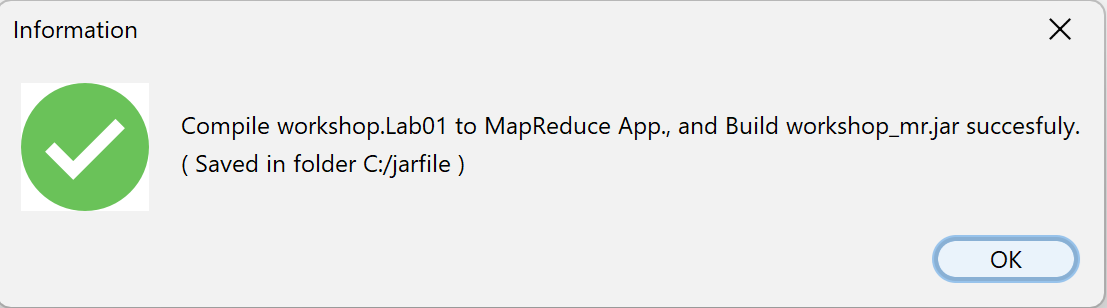
- Click the Generate (
 ) button on the toolbar
This process will produce the following file:
workshop_mr.jar
Step 8 – Running Workflow on Hadoop Cluster
First upload data to HDFS.
hadoop fs -put youtube_videos.csv /hduser/youtube
Then run the workflow:
hadoop jar workshop_mr.jar workshop.Lab01 /hduser/youtube /hduser/youtube_out
The workflow will run the data cleansing process on the YouTube dataset .
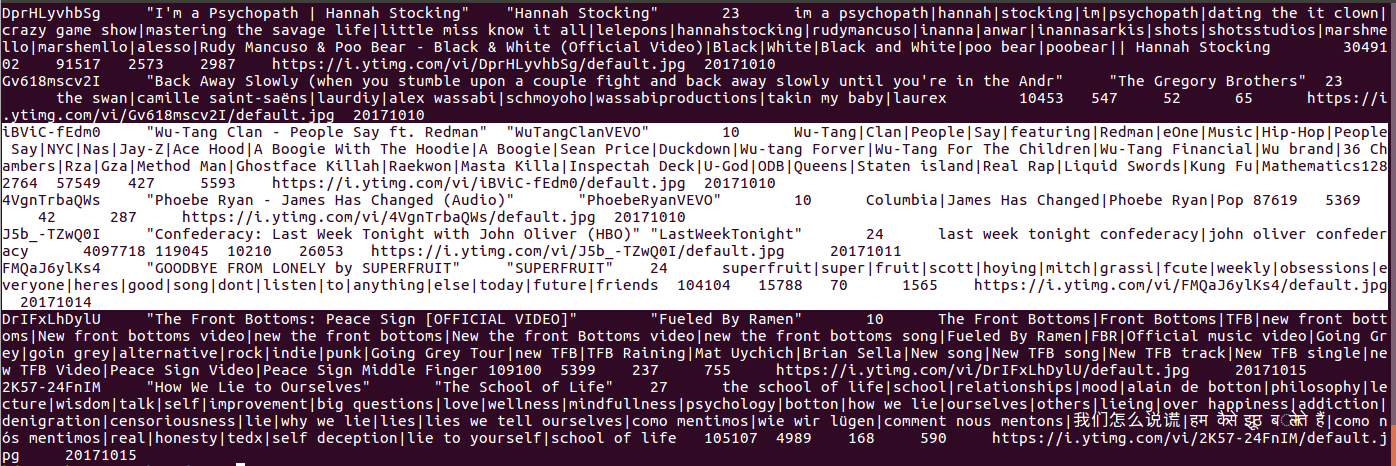
Output Results
The output of the workflow contains data that has been:
- cleaned
- reformatted
- have valid numeric values
- has a standard date format
Data is stored in the directory:
/hduser/youtube_out
Note : The file of workflow Labs01 can be found in the following link :
Lab01.csd

 )
) )
)