Data Aggregation Workflow in HGrid247-3.5
In this tutorial, we create a Lab02 workflow to aggregate data based on video categories.
This workflow builds on the previous workflow ( Lab01 ), which performed data cleansing .
This aggregation process is usually run on Big Data systems such as:
- Apache Hadoop
- Apache Spark
- Apache Flink
- Apache Beam
In this example the workflow is compiled into a MapReduce Job .
Step 1 — Copy Workflow Lab01
In order not to create a workflow from scratch, we copy the Lab01 workflow which already contains the data cleaning process.
Steps:
- In the Project Structure , right-click on the workflow:
Lab01
- Choose:
Copy Workflow
- Enter the name of the new workflow:
Lab02
- Click Next, then Finish
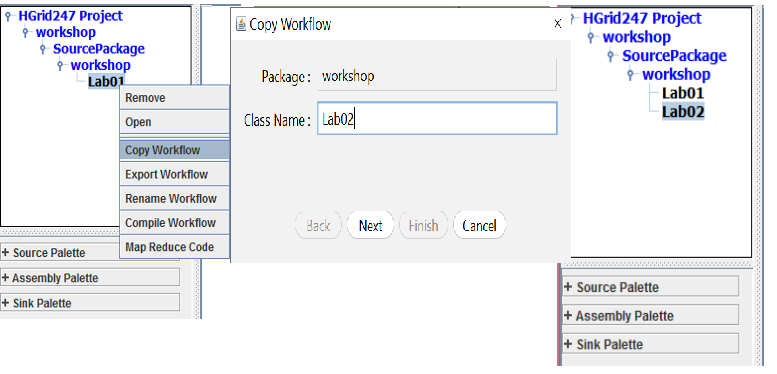
A new workflow Lab02 will be created with the same structure as Lab01.
Step 2 — Open Workflow Lab02
Next, open the newly created workflow.
Steps:
- Double click Lab02
- The workflow canvas will open.
- Delete previous output components
Removed components:
hfs_sink_1
How to delete:
- klik hfs_sink_1
- press the Delete button
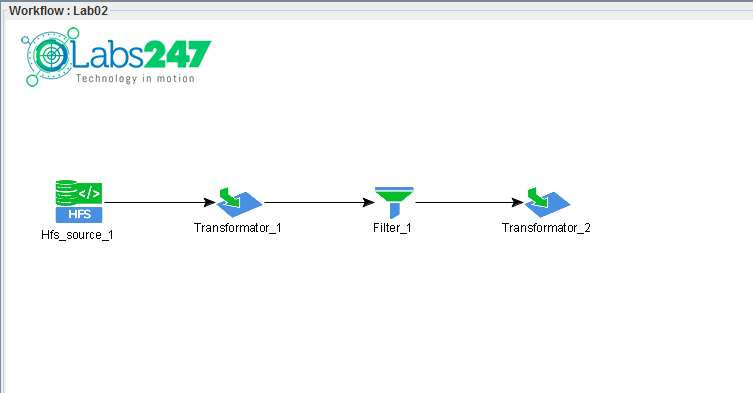
This is done because we will add the aggregation process first before the sink .
Step 3 — Grouping Data by category_id
At this stage the data will be grouped based on video category .
Steps:
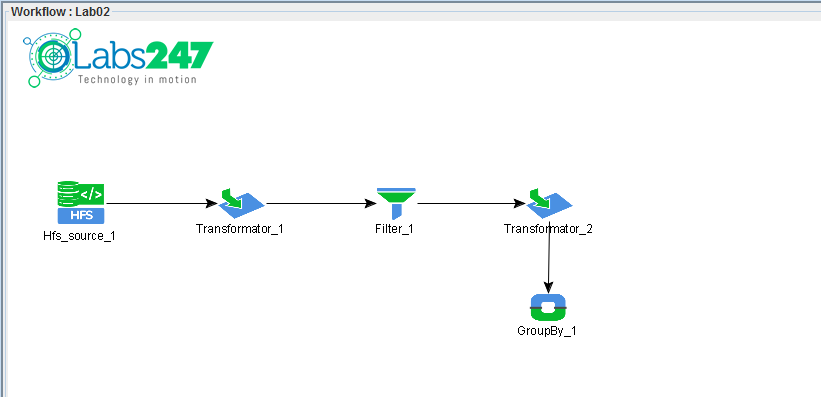
Then open the GroupBy configuration.
Steps:
- Double click GroupBy_1
- Select a field:
category_id
As a grouping field
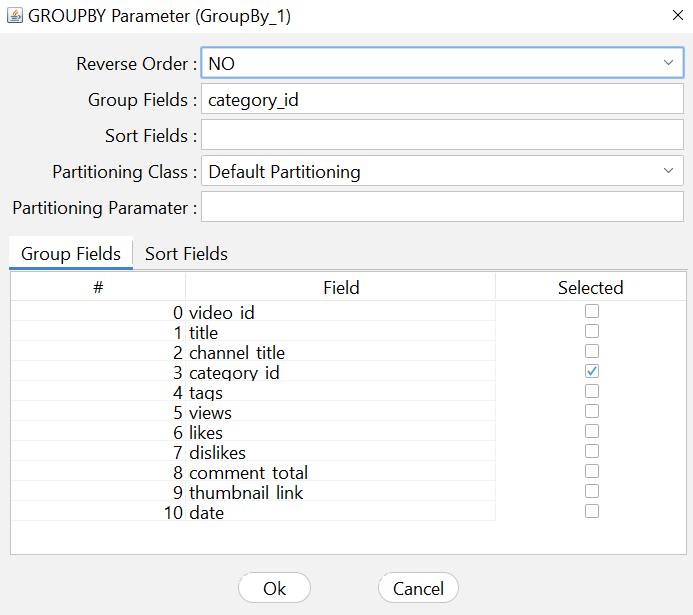
This means that all data will be grouped based on video category .
Step 4 — Define Aggregation
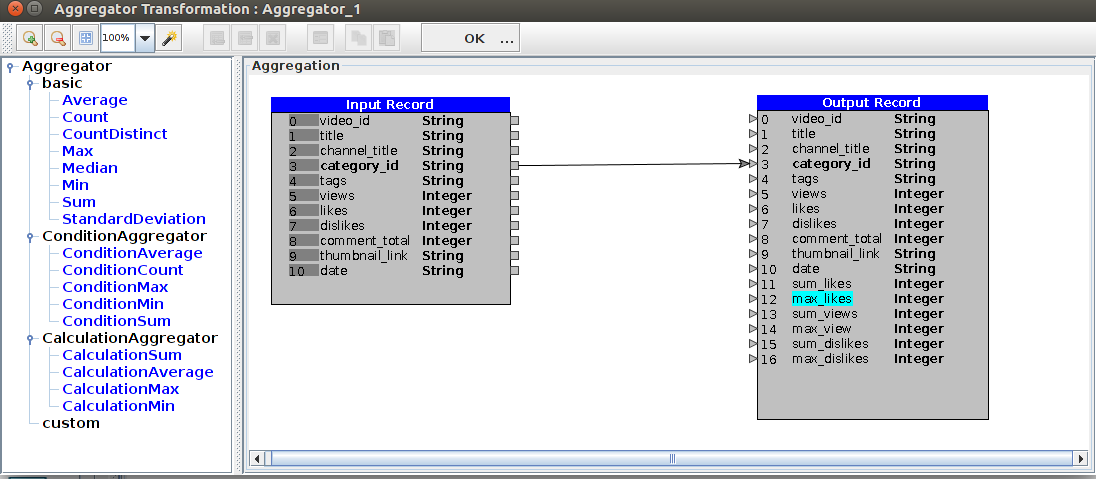
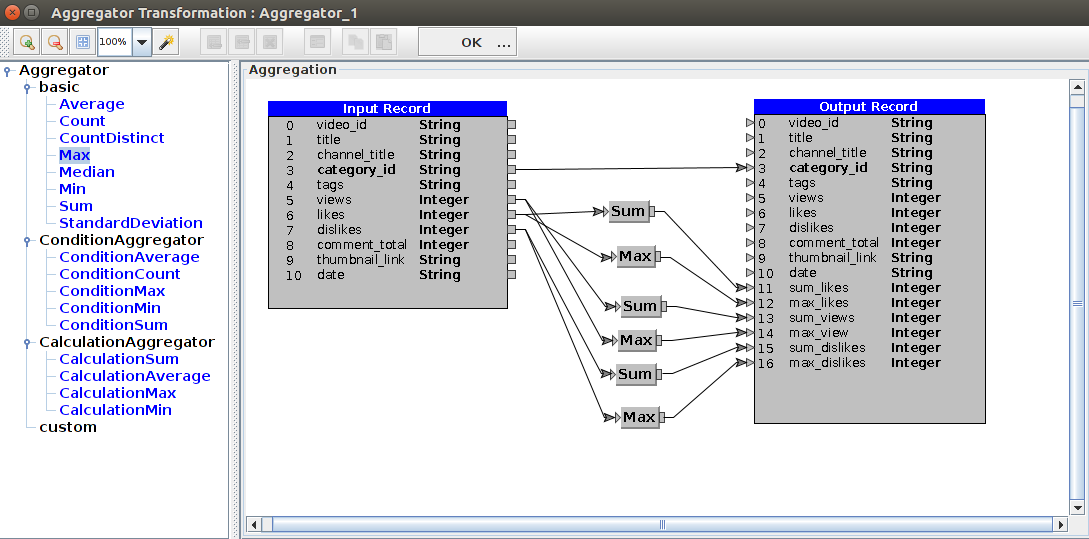
After the data is grouped, the next step is to calculate the aggregate value.
Add Aggregator Assembly .
Steps:
- Drag Aggregator Assembly (
 )
)
- Drop on canvas
- Make a connection:
GroupBy_1 → Aggregator_1
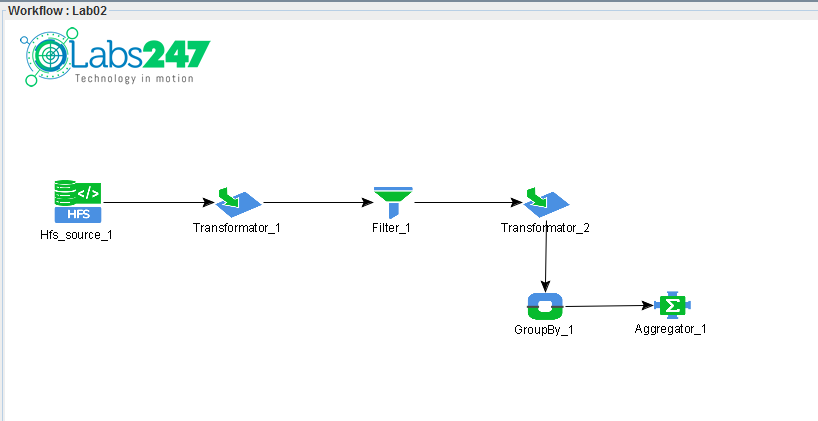
Step 5 — Complete Workflow
Add an output component to store the aggregation results.
Steps:
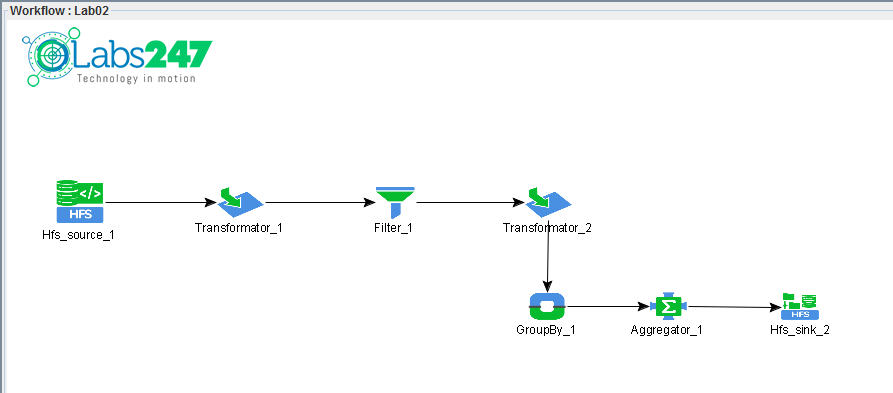
This sink will save the results to the flat file format
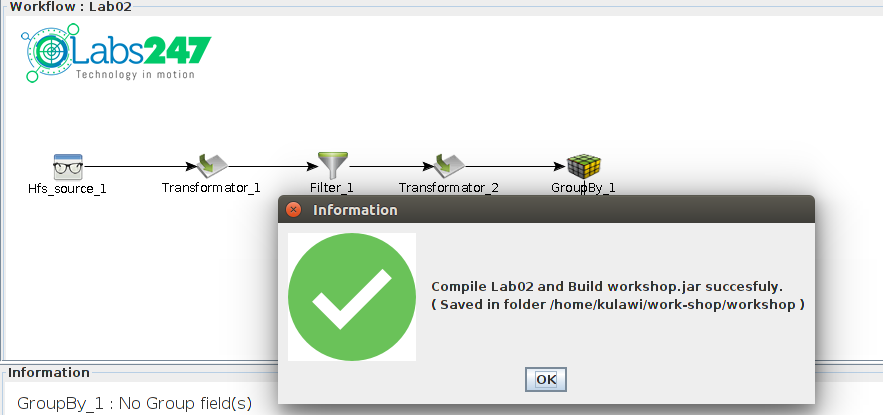
Step 6 – Compile dan Generate Workflow
Once the workflow is created:
- Select the engine used
In this example using:
MapReduce
- Click the Generate (
 ) button on the toolbar
This process will produce the following file:
workshop_mr.jar
Step 7 — Running Workflow on Hadoop Cluster
Workflow can be run using the following command:
hadoop jar workshop_mr.jar workshop.Lab02 /hduser/youtube /hduser/youtube_out
This command runs a MapReduce Job on Apache Hadoop
Parameter:
    Parameter               Information
    -----------------------------------------
    workshop_mr.jar         workflow compilation application
    workshop.Lab02          workflow class being run
    /hduser/youtube         input directory in HDFS
    /hduser/youtube_out     output directory in HDFS
Output Workflow
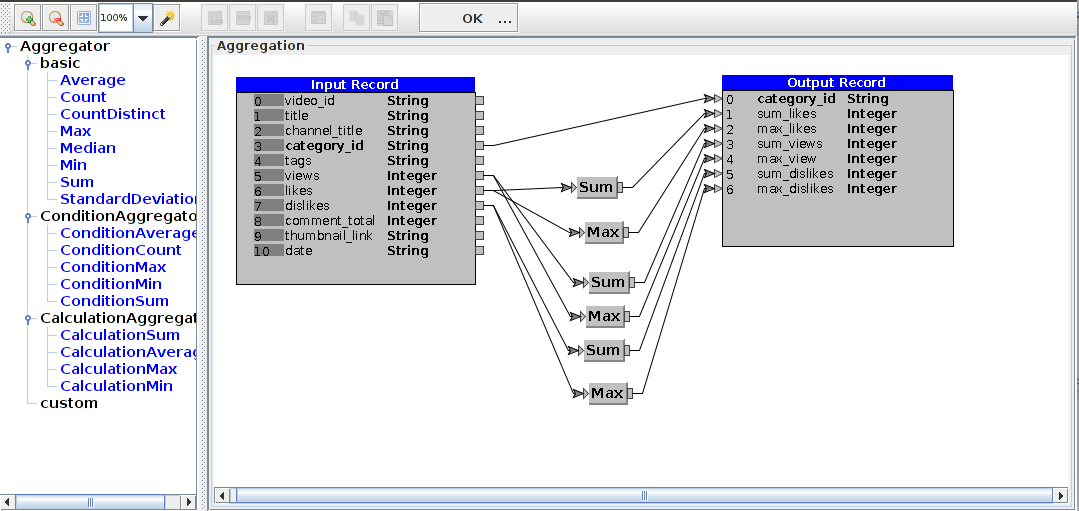
The output results contain aggregated data based on category_id , for example:
category_id sum_likes max_likes sum_views max_view sum_dislikes max_dislikes
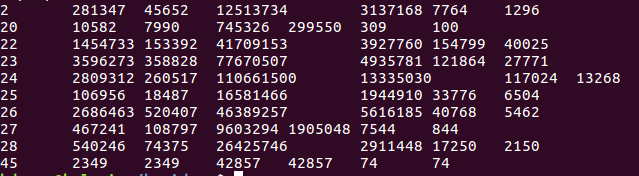
This data shows video statistics per category.
Note : The file of workflow Labs02 can be found in the following link :
Lab02.csd

 ) dari palette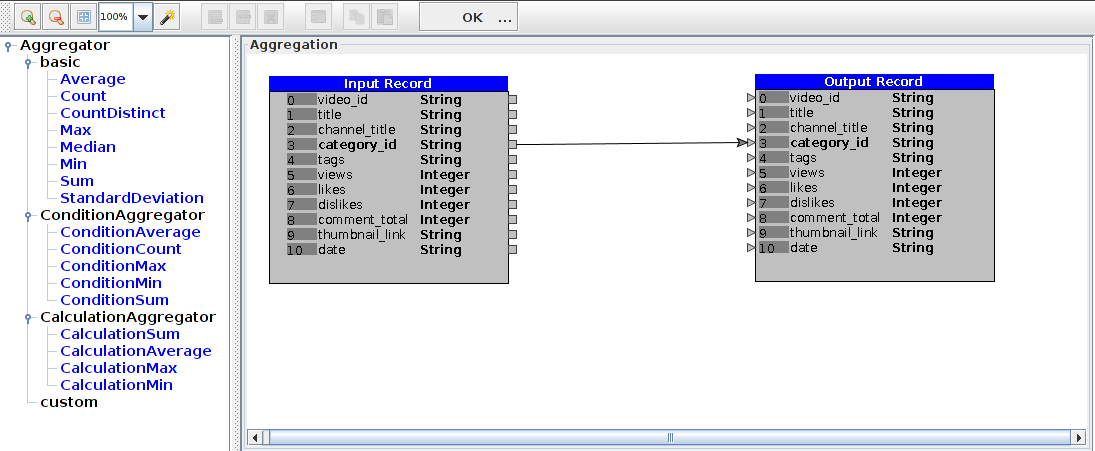
 )
)