Join Data Workflow in HGrid247-3.5 (Lab03)
In this tutorial we create a Lab03 workflow to join data between two datasets:
- youtube_videos.csv → data statistik video
- category.dat → data kategori video
This workflow is created using HGrid247 and executed as a MapReduce Job on an Apache Hadoop cluster .
The main goal of this process is to combine category information with video aggregation results so that the output has more informative category names .
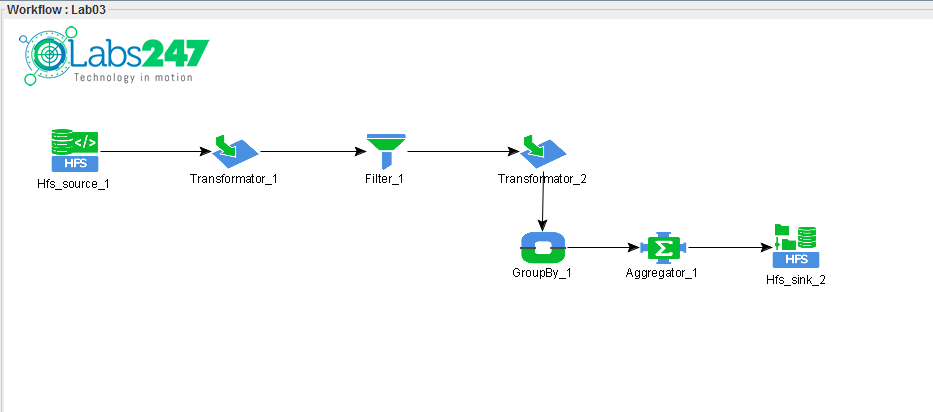
Step 1 — Copy Workflow Lab02
Since the Lab02 workflow already has cleansing and aggregation processes , we just need to copy them.
Steps:
- In the Project Structure , right-click on:
Lab02
- Choose:
Copy Workflow
- Enter the workflow name:
Lab03
- Click Finish
A new workflow Lab03 will be created.
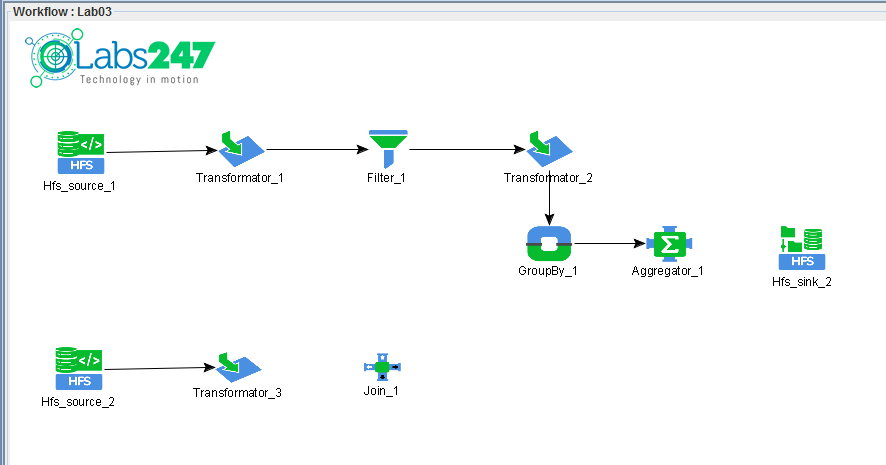
Step 2 — Add Second HFS Source
Since we are going to join two datasets , we need to add a second source .
Steps:
This source will read the files:
category.dat
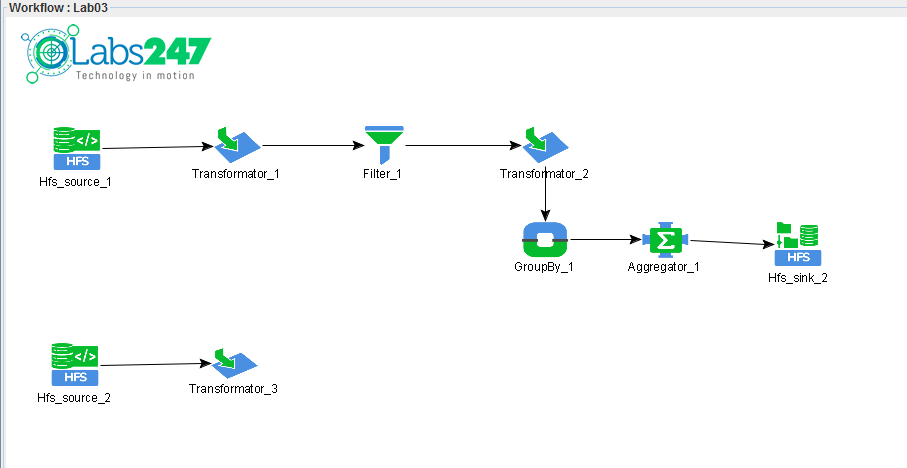
Step 3 — Define Structure of Second Data Source
The category.dat dataset must be changed from a text line to a record field .
Steps:
- Double click Transformator_3
- Add the following output fields:
    category_id
    category_name
    valid
Then use the RegexSplitter function .
Configuration:
Connect:
line → RegexSplitter → output fields
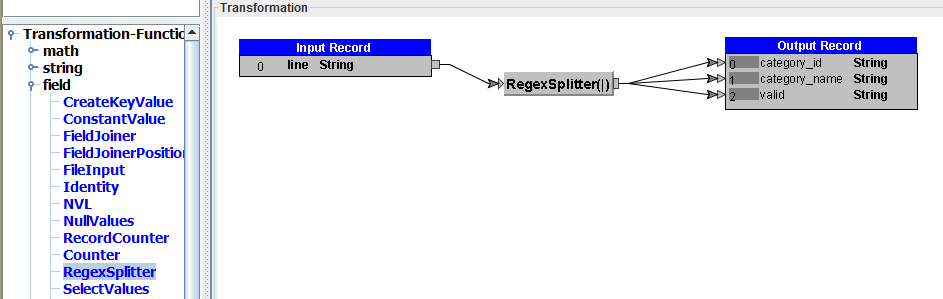
Then click OK .
This transformation breaks down the data like so:
10|Music|1
become:
    10
    Music
    1
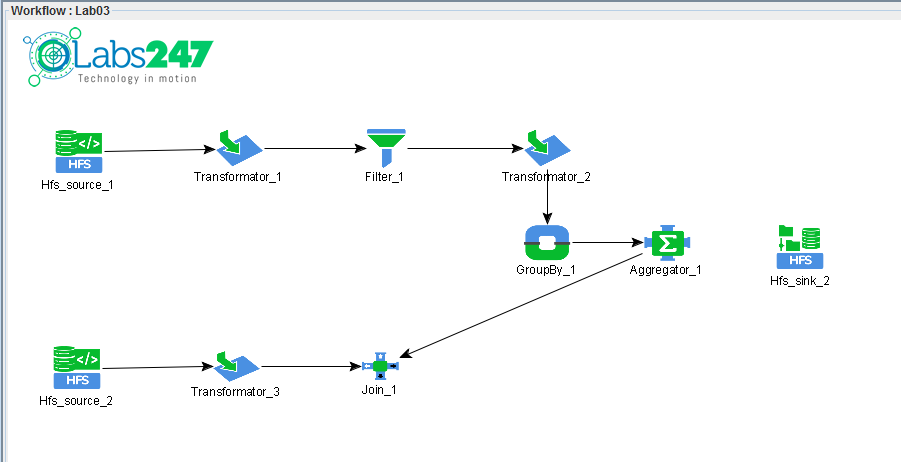
Step 4 — Join Data
Now we will combine the aggregated data with the categorical data.
Steps:
Vital Records:
- Link pertama → left side
- Second link → right side
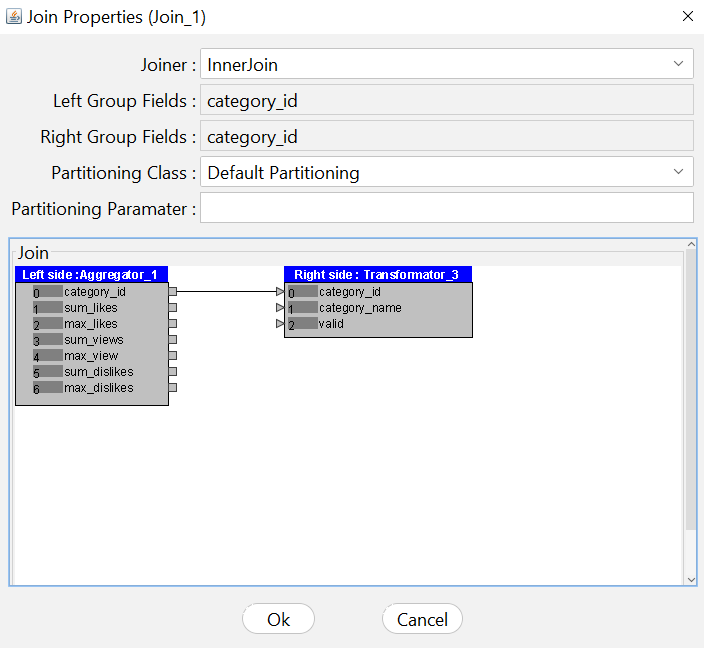
Step 5 — Define Join Field
The next step is to determine the fields used for the join .
Steps:
This means the join is done based on category_id .
This concept is similar to:
JOIN ON category_id
Step 6 — Select Output Fields
After the join is done, we select the fields we want to save.
Steps:
- Add Transformator (
 ) Assembly
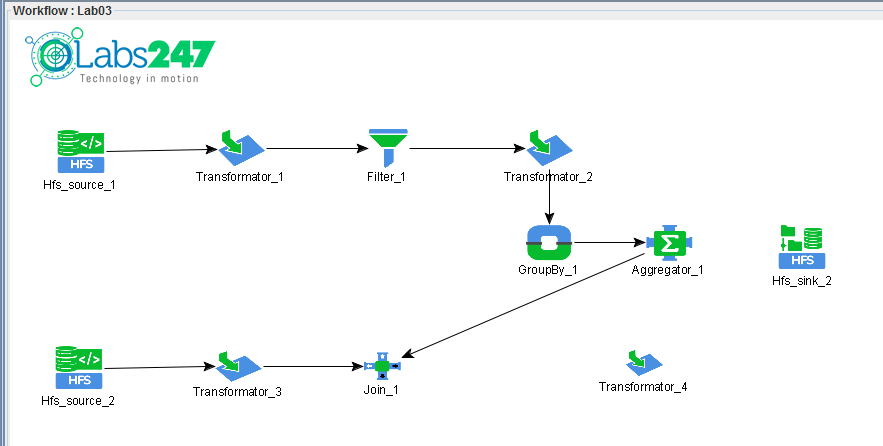
- Connect:
Join_1 → Transformator_4
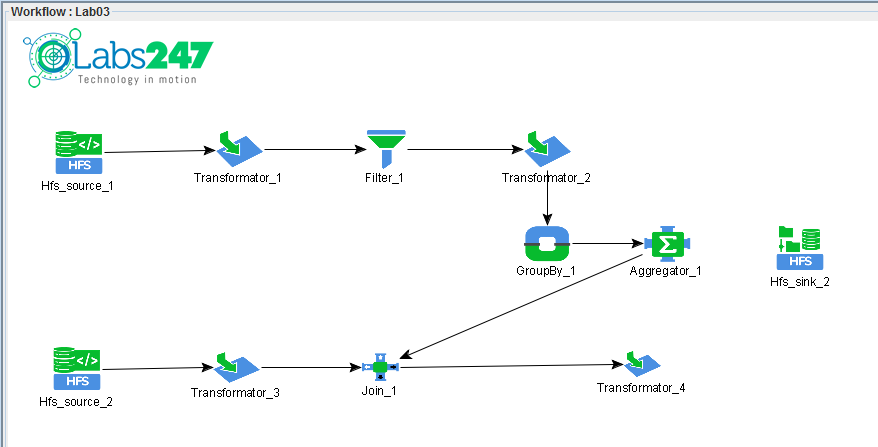
- Double click Transformator_4
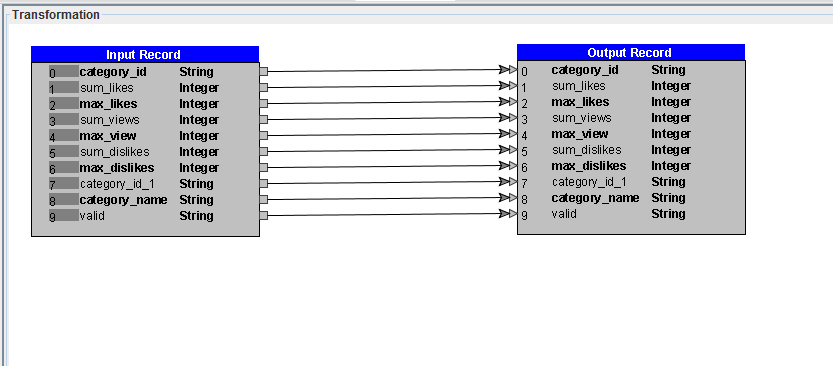
- Remove some unnecessary fields, by deleting connection (link) between field in Input Record and field in Output Record:
    0
    7
    8
    9
Then change the output field:
Rename:
category_id → categoryname
Connect:
category_name → categoryname
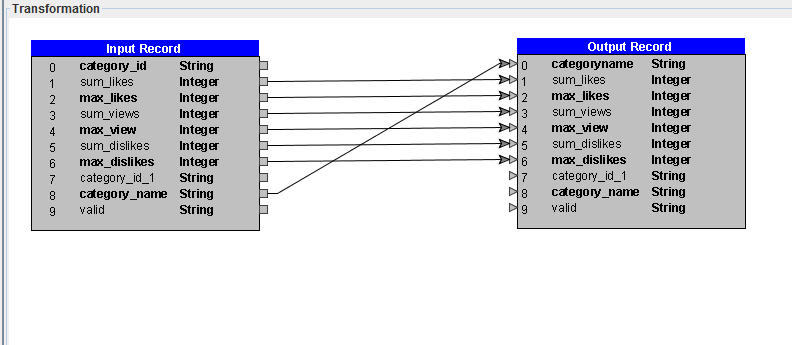
This step makes the output easier to read.
Step 7 — Complete Workflow
Add a sink to store the final result.
Connect:
Transformator_4 → Hfs_sink_2
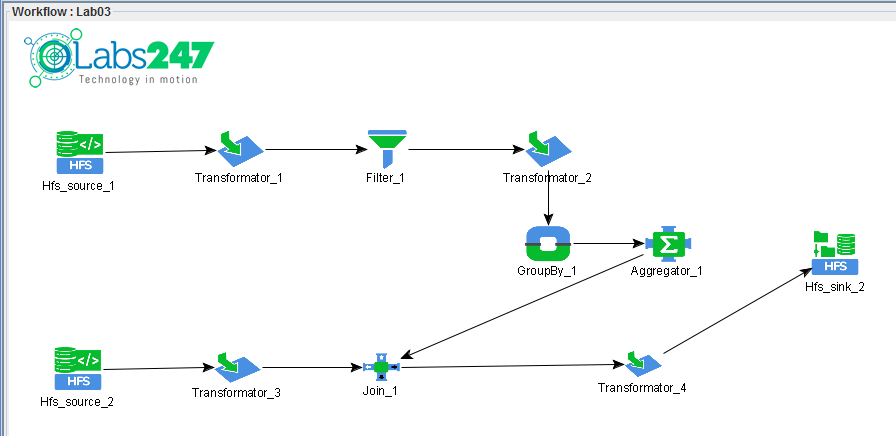
This sink will save the results to HDFS on the Apache Hadoop cluster .
Step 8 — Compile Workflow
Click the Generate ( ) button on the toolbar to compile the workflow.
Engines used:
MapReduce
This process produces the files:
workshop_mr.jar
()
Step 9 — Running Workflow on Hadoop Cluster
Before running the workflow, upload the category dataset to HDFS .
hadoop fs -put category.dat /hduser/category
Then run the workflow:
hadoop jar workshop_mr.jar workshop.Lab03 /hduser/youtube /hduser/category /hduser/youtube_out
Parameter:
    Parameter               Description
    -------------------------------------------------------
    workshop_mr.jar         workflow compilation result file
    workshop.Lab03          class workflow
    /hduser/youtube         dataset video
    /hduser/category        category dataset
    /hduser/youtube_out     folder output
Output Workflow
The output contains the results of video aggregation which is already equipped with category names .
Example output:
categoryname sum_likes max_likes sum_views max_view
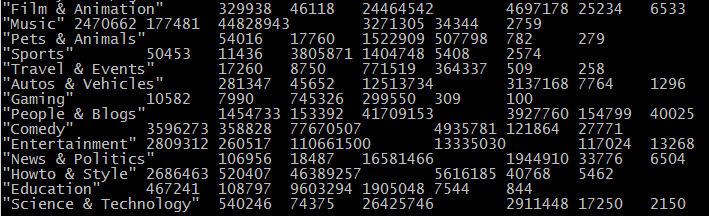
This data is easier to analyze because it already has a video category name .
Note : The file of workflow Labs02 can be found in the following link : Lab03.csd

 ) dari Source Palette
 )
)