Join Data from CSV and JSON in HGrid247-3.5 (Lab04)
In this tutorial we create a Lab04 workflow to join a YouTube video dataset with a category dataset in JSON format .
Dataset used:
- youtube_videos.csv → data statistik video
- category_id.json → video category metadata in JSON format
This workflow is built using HGrid247 and compiled into a MapReduce application that runs on an Apache Hadoop cluster .
The goal of this process is to combine the video aggregation results with category information derived from the JSON file .
Step 1 — Copy Workflow Lab03
Because Lab03 workflow already has processes:
- data cleansing
- aggregation
- join
then we just need to copy it.
Steps:
- In Project Structure , right-click the workflow:
Lab03
- Choose:
Copy Workflow
- Enter the workflow name:
Lab04
- Click Finish
Workflow Lab04 will be created as a copy of Lab03.
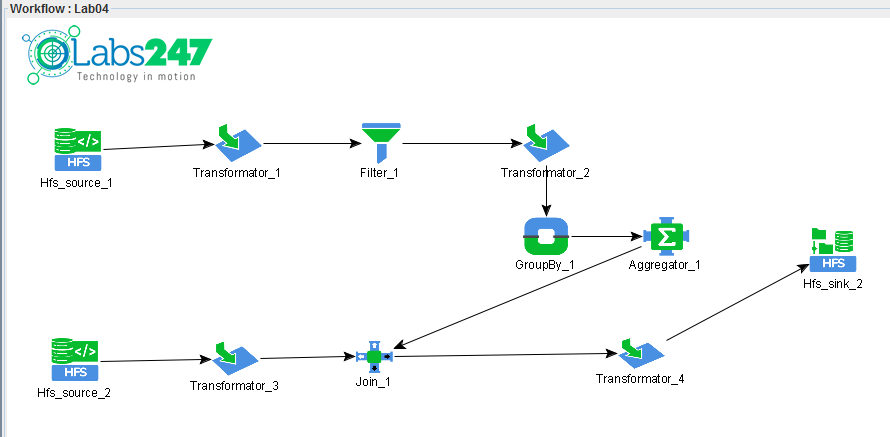
Step 2 — Delete Old HFS Source
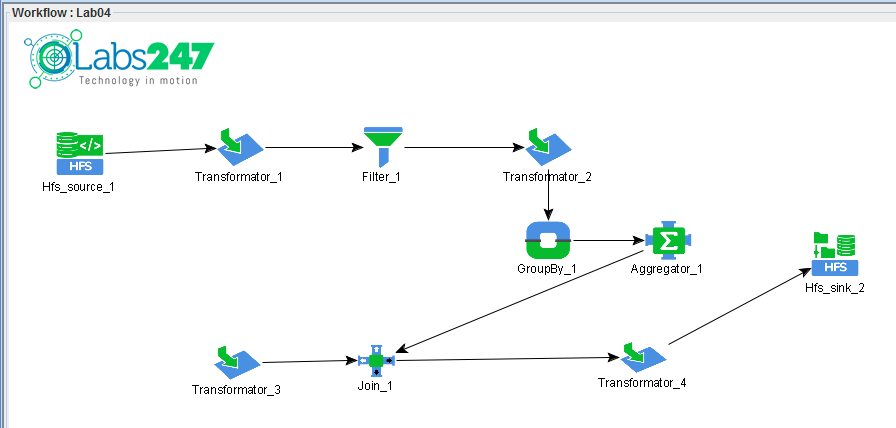
Since we will be using category data in JSON format , the old source must be removed.
Steps:
- Click on the components:
Hfs_source_2
- Press the Delete button
This source previously read the flat text file:
category.dat
Step 3 — Add Custom Source for JSON
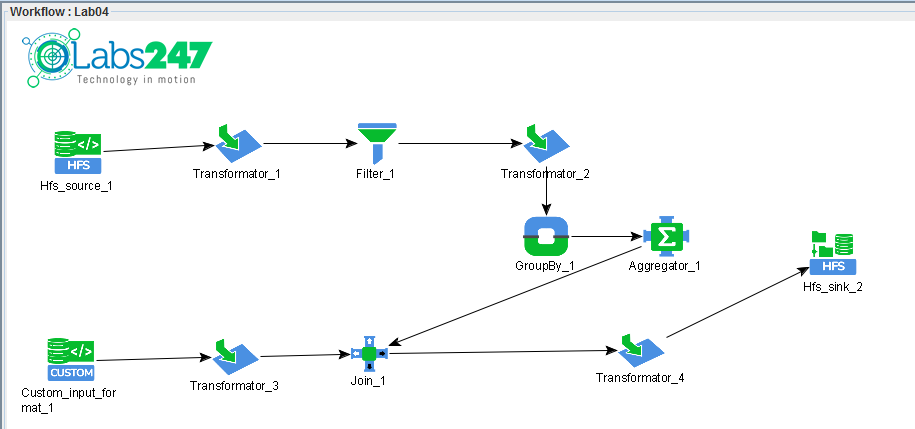
To read JSON files, we use Custom Source .
Steps:
- Drag Custom Source (
 ) from Source Palette
- Drop ke canvas Lab04
- Connect:
Custom_input_format_1 → Transformator_3
Custom Source Configuration
Double click Custom_input_format_1 to open the parameters.
Arrangement:
Input Format
com.solusi247.mapred.JSONInputFormat
Add new configuration:
    Configuration Name          Value
    ---------------------------------
    hgrid247.json.member	id
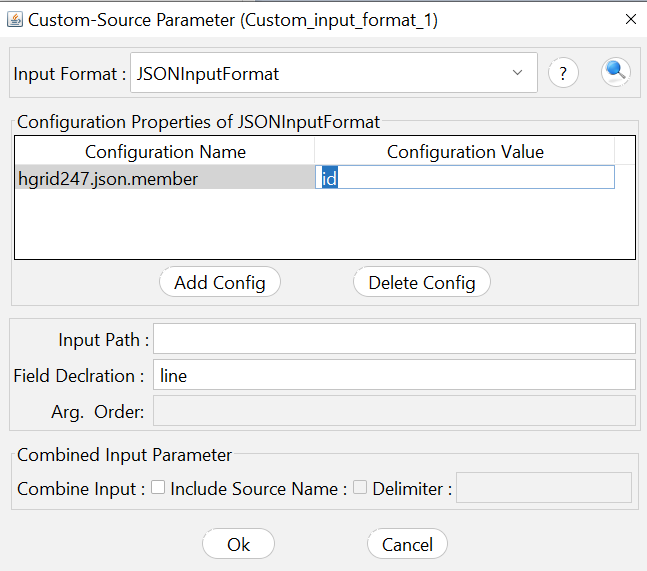
This configuration is used so that the JSON parser reads each JSON object with a member id .
Step 4 — Parse JSON Fields
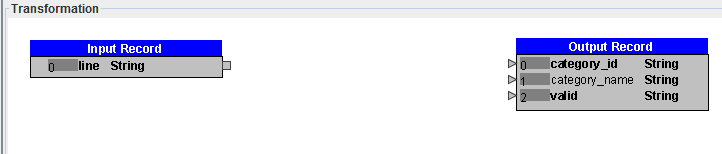
Now we will extract the values from JSON using the JSONPathParser function .
Open configuration:
Transformer_3
Then delete the old transformation:
RegexSplitter
because JSON does not use delimiters like CSV.
Extract category_id
Add function:
JSONPathParser
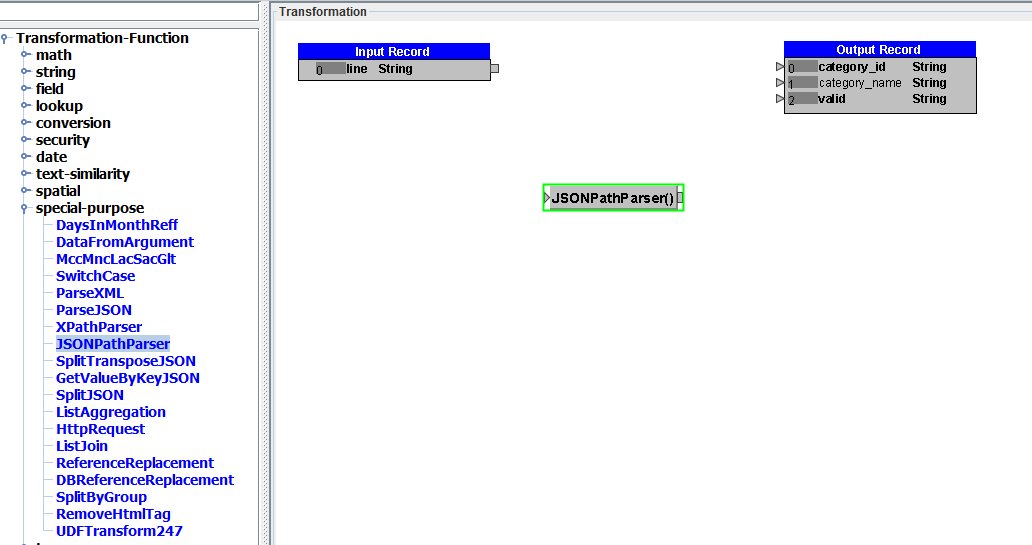
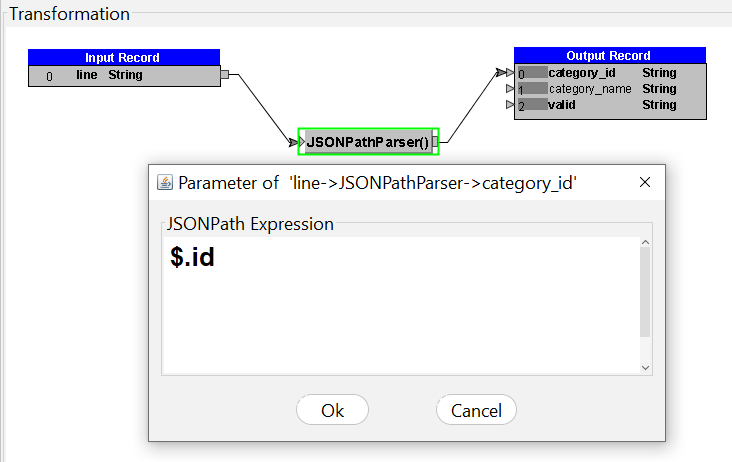
Connect:
line → JSONPathParser → category_id
Parameter:
JSONPath Expression = $.id
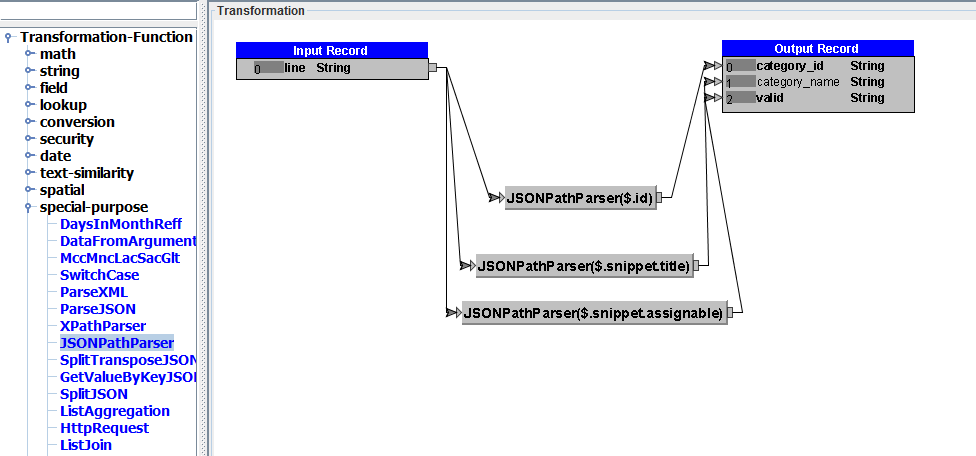
Extract category_name
Add a second JSONPathParser function .
Connect:
line → JSONPathParser → category_name
Parameter:
JSONPath Expression = $.snippet.title
Extract valid field
Add a third JSONPathParser function .
Connect:
line → JSONPathParser → valid
Parameter:
JSONPath Expression = $.snippet.assignable
Step 5 — Compile Workflow
Once the configuration is complete, compile the workflow.
But, before compiling workflow, add additional library :
   json
   jsonpath
From Menu, select File → Additional Library.
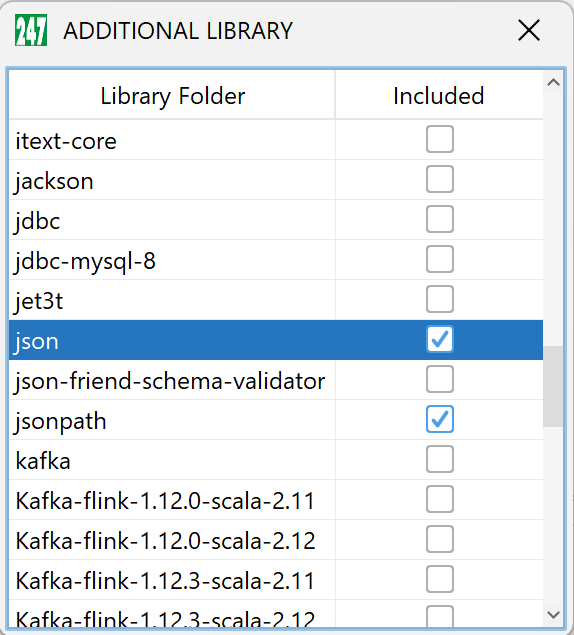
Click the Generate button on the toolbar.
Engine target:
MapReduce
Compilation results:
workshop_mr.jar
Step 6 — Upload JSON Dataset
Upload JSON category dataset to HDFS on Apache Hadoop cluster .
hadoop fs -put category_id.json /hduser/category_json
Step 7 — Run Workflow Lab04
Run the workflow using the following command:
hadoop jar workshop_mr.jar workshop.Lab04 /hduser/youtube /hduser/category_json /hduser/youtube_out
Parameter:
    Parameter                   Description
    -------------------------------------------------------------
    workshop_mr.jar             workflow compilation result file
    workshop.Lab04              class workflow
    /hduser/youtube             dataset video
    /hduser/category_json	JSON category dataset
    /hduser/youtube_out         folder output
Output Workflow
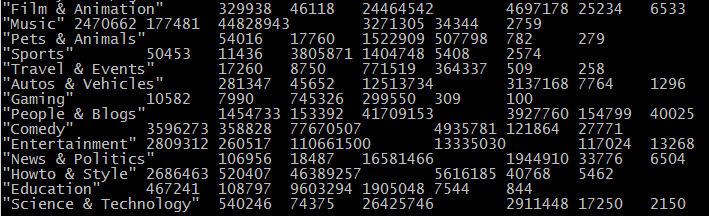
The output contains the video aggregation results that have been combined with the category names from the JSON file .
Example output:
categoryname sum_likes max_likes sum_views max_view
Note : The file of workflow Labs04 can be found in the following link : Lab04.csd
