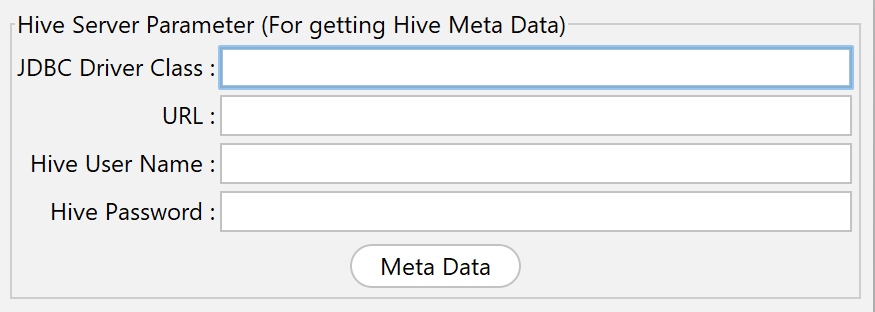
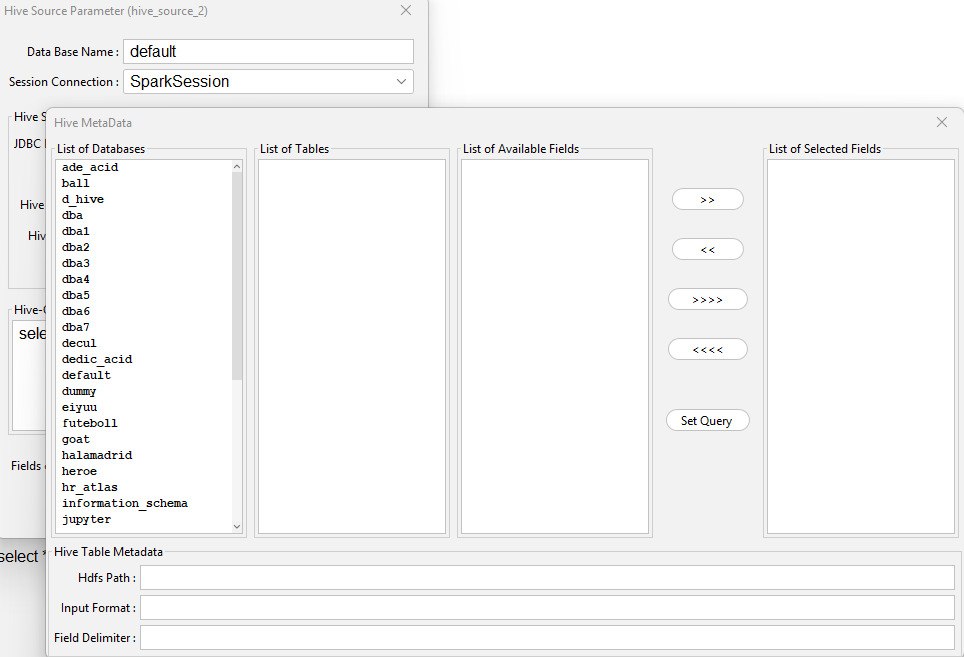
This feature is very helpful for HGrid247 integration with Hadoop/Hive data warehouse.
1.HDP 3.0 Cluster
    Hadoop Version            : 3.1.1.3.0.1.0-187
    Hive/Beeline Version      : 3.1.0.3.0.1.0-187
    Parameter           Value
    -------------------------------------------------------
    JDBC Driver Class   org.apache.hive.jdbc.HiveDriver
    URL                 jdbc:hive2://localhost:10000/
    Hive User Name      hive
    Hive Password       hive
The Hive JDBC driver used
hive-jdbc-3.1.2.jar
Place this jar in:
    HGrid247-3.5/
        └── HiveClient/
2.YAVA 3.1 / 3.2 Cluster (Cluster with Kerberos)
Environment:
- Hadoop Version : 3.3.1
- Hive Version : 3.1.2
Parameter Setting
    Parameter           Value
    ----------------------------------------------------------------------
    JDBC Driver Class   com.cloudera.hive.jdbc41.HS2Driver
    URL                 jdbc:hive2://hostname.example.com:10000/default;AuthMech=1;KrbRealm=EXAMPLE.COM;
                        KrbHostFQDN=hostname-hiveserver2.com;KrbServiceName=hive;KrbAuthType=2
In Kerberos mode:
Hive User Name and Hive Password are usually left blank
because authentication uses Kerberos tickets.
The Hive JDBC driver used
HiveJDBC41.jar
Just like before, put this jar in the folder:
    HGrid247-3.5/
       └── HiveClient/
🔐 Additional Settings for Kerberos Clusters
You have to edit the hgrid247.cmd
Default:
"%JAVA_HOME%\bin\java" -jar HGrid247-3.5.jar
Changed into:
    "%JAVA_HOME%\bin\java" ^
     -Djava.security.krb5.conf=<path_of_krb5.conf> ^
     -Djava.security.auth.login.config=<path_of_hive-jaas.conf> ^
     -jar HGrid247-3.5.jar
Explanation:
- <path_of_krb5.conf>
Example:C:\kerberos\krb5.conf
- <path_of_hive-jaas.conf>
Example:C:\hive\hive_jaas.conf
After changing the file .cmd, run:
hgrid247.cmd
📌 Required Folders for JDBC Driver
Make sure the Hive JDBC driver is located at:
    HGrid247-3.5/
       └── HiveClient/
If this folder does not exist or the jar is not found, then:
- Hive Metadata cannot read database
- Cannot load table
- Cannot create automatic query
✅ If the connection is successful
A dialog box will appear showing:
- Database successfully loaded
- Table successfully retrieved
- Fields can be selected
- Queries can be created automatically