Look and Feel in HGrid247-3.5
In graphical user interfaces (GUIs), the term Look and Feel (LAF) has two main meanings:
- Look → the visual appearance of GUI components (such as colors, button shapes, fonts, and layout).
- Feel → how the GUI components behave when used by the user.
In Java Swing -based applications , Look and Feel allows users to customize the appearance of the application to suit their preferences or the operating system they are using.
Look and Feel Options in HGrid247-3.5
HGrid247-3.5 provides 12 Look and Feel options , namely:
- FlatLight
- FlatDark
- FlatIntelliJ
- CrossPlatform
- System
- Windows
|
- Motif
- Cloud
- Web
- BeautyEye
- Tattoo
- Metal
|
If not specified, the default Look and Feel used is:
FlatLight
Configuration File
Java Swing component Look and Feel settings and properties are stored in the file:
conf/lookandfeel.properties
The file content looks like this:
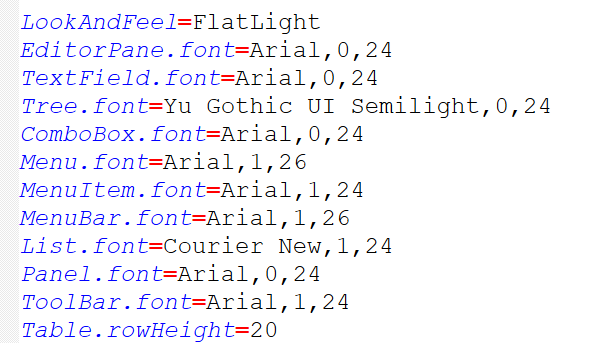
This file contains configurations that define:
- GUI view
- font
- color
- component size
Configuration Format
Each line in the configuration file uses the format:
ConfigName=ConfigValue
Example:
LookAndFeel=Nimbus
Comment Line
Lines starting with the # symbol are considered comments and will not be processed by the system.
Example:
# This is a comment
I. Setting Look and Feel
To change the GUI appearance, use the following configuration:
LookAndFeel=<LAF_Name>
Example:
LookAndFeel=Nimbus
It means:
HGrid247 will use the Nimbus Look and Feel .
II. Setting Java Swing Object Property
Besides changing the GUI theme, users can also set Java Swing component properties such as:
Configuration format:
ObjectType.Property=Value
Example Configuration
1. Setting Font for JTree
Example of font settings for JTree component :
Tree.font=Yu Gothic UI Semilight,0,24
It means:
- Font Name : Yu Gothic UI Semilight
- Font Style: 0 (Normal)
- Font Size : 24
2. Setting JButton Background Color
Example of setting the background color of a button:
    Button.background=yellow
    Button.background=255,255,0
    Button.background=(255,255,0)
It means:
-
the background color of the button becomes yellow .
Font Property Format
Font properties are written in the format:
Font-Name,Font-Style,Font-Size
Example:
Arial,1,18
Explanation:
    Parameter	Meaning
    ------------------------------------------
    Font-Name	Font name
    Font-Style	0 = Normal/Plain, 1 = Bold, 2 = Italic
    Font-Size	Font size (integer value)
Alternative Font Names :
             Agency FB, Algerian, Arial, Arial Black, Arial Narrow, Arial Rounded MT Bold, Bahnschrift, Baskerville Old Face, Bauhaus 93,
             Bell MT, Berlin Sans FB, Berlin Sans FB Demi, Bernard MT Condensed, Blackadder ITC, Bodoni MT, Bodoni MT Black,
             Bodoni MT Condensed, Bodoni MT Poster Compressed, Book Antiqua, Bookman Old Style, Bookshelf Symbol 7, Bradley Hand ITC, Britannic Bold,
             Broadway, Brush Script MT, Calibri, Calibri Light, Californian FB, Calisto MT, Cambria, Cambria Math, Candara, Candara Light, #
             Castellar, Centaur, Century, Century Gothic, Century Schoolbook, Chiller, Colonna MT, Comic Sans MS, Consolas,
             Constantia, Cooper Black, Copperplate Gothic Bold, Copperplate Gothic Light, Corbel, Corbel Light, Courier New, Curlz MT, Dialog,
             DialogInput, Dubai, Dubai Light, Dubai Medium, Ebrima, Edwardian Script ITC, Elephant, Engravers MT, Eras Bold ITC, Eras Demi ITC,
             Eras Light ITC, Eras Medium ITC, Felix Titling, Footlight MT Light, Forte, Franklin Gothic Book, Franklin Gothic Demi,
             Franklin Gothic Demi Cond, Franklin Gothic Heavy, Franklin Gothic Medium, Franklin Gothic Medium Cond, Freestyle Script,
             French Script MT, Gabriola, Gadugi, Garamond, Georgia, Gigi, Gill Sans MT, Gill Sans MT Condensed,
             Gill Sans MT Ext Condensed Bold, Gill Sans Ultra Bold, Gill Sans Ultra Bold Condensed, Gloucester MT Extra Condensed, Goudy Old Style,
             Goudy Stout, Haettenschweiler, Harlow Solid Italic, Harrington, High Tower Text, HoloLens MDL2 Assets, Impact, Imprint MT Shadow,
             Informal Roman, Ink Free, Javanese Text, Jokerman, Juice ITC, Kristen ITC, Kunstler Script, Leelawadee, Leelawadee UI,
             Leelawadee UI Semilight, Lucida Bright, Lucida Calligraphy, Lucida Console, Lucida Fax, Lucida Handwriting, Lucida Sans,
             Lucida Sans Typewriter, Lucida Sans Unicode, Magneto, Maiandra GD, Malgun Gothic, Malgun Gothic Semilight, Marlett,
             Matura MT Script Capitals, Microsoft Himalaya, Microsoft JhengHei, Microsoft JhengHei Light, Microsoft JhengHei UI,
             Microsoft JhengHei UI Light, Microsoft New Tai Lue, Microsoft PhagsPa, Microsoft Sans Serif, Microsoft Tai Le,
             Microsoft Uighur, Microsoft YaHei, Microsoft YaHei Light, Microsoft YaHei UI, Microsoft YaHei UI Light, Microsoft Yi Baiti,
             MingLiU-ExtB, MingLiU_HKSCS-ExtB, Mistral, Modern No. 20, Mongolian Baiti, Monospaced, Monotype Corsiva, MS Gothic, MS Outlook,
             MS PGothic, MS Reference Sans Serif, MS Reference Specialty, MS UI Gothic, MT Extra, MV Boli, Myanmar Text, Niagara Engraved,
             Niagara Solid, Nirmala UI, Nirmala UI Semilight, NSimSun, OCR A Extended, Old English Text MT, Onyx, Palace Script MT,
             Palatino Linotype, Papyrus, Parchment, Perpetua, Perpetua Titling MT, Playbill, PMingLiU-ExtB, Poor Richard, Pristina, Rage Italic,
             Ravie, Rockwell, Rockwell Condensed, Rockwell Extra Bold, Sans Serif Collection, SansSerif, Script MT Bold, Segoe Fluent Icons,
             Segoe MDL2 Assets, Segoe Print, Segoe Script, Segoe UI, Segoe UI Black, Segoe UI Emoji, Segoe UI Historic, Segoe UI Light,
             Segoe UI Semibold, Segoe UI Semilight, Segoe UI Symbol, Segoe UI Variable, Serif, Showcard Gothic, SimSun, SimSun-ExtB,
             SimSun-ExtG, Sitka Text, Snap ITC, Stencil, Sylfaen, Symbol, Tahoma, Tempus Sans ITC, Times New Roman, Trebuchet MS, Tw Cen MT,
             Tw Cen MT Condensed, Tw Cen MT Condensed Extra Bold, Verdana, Viner Hand ITC, Vivaldi, Vladimir Script,
             Webdings, Wide Latin, Wingdings, Wingdings 2, Wingdings 3, Yu Gothic, Yu Gothic Light, Yu Gothic Medium,
             Yu Gothic UI, Yu Gothic UI Light, Yu Gothic UI Semibold, Yu Gothic UI Semilight
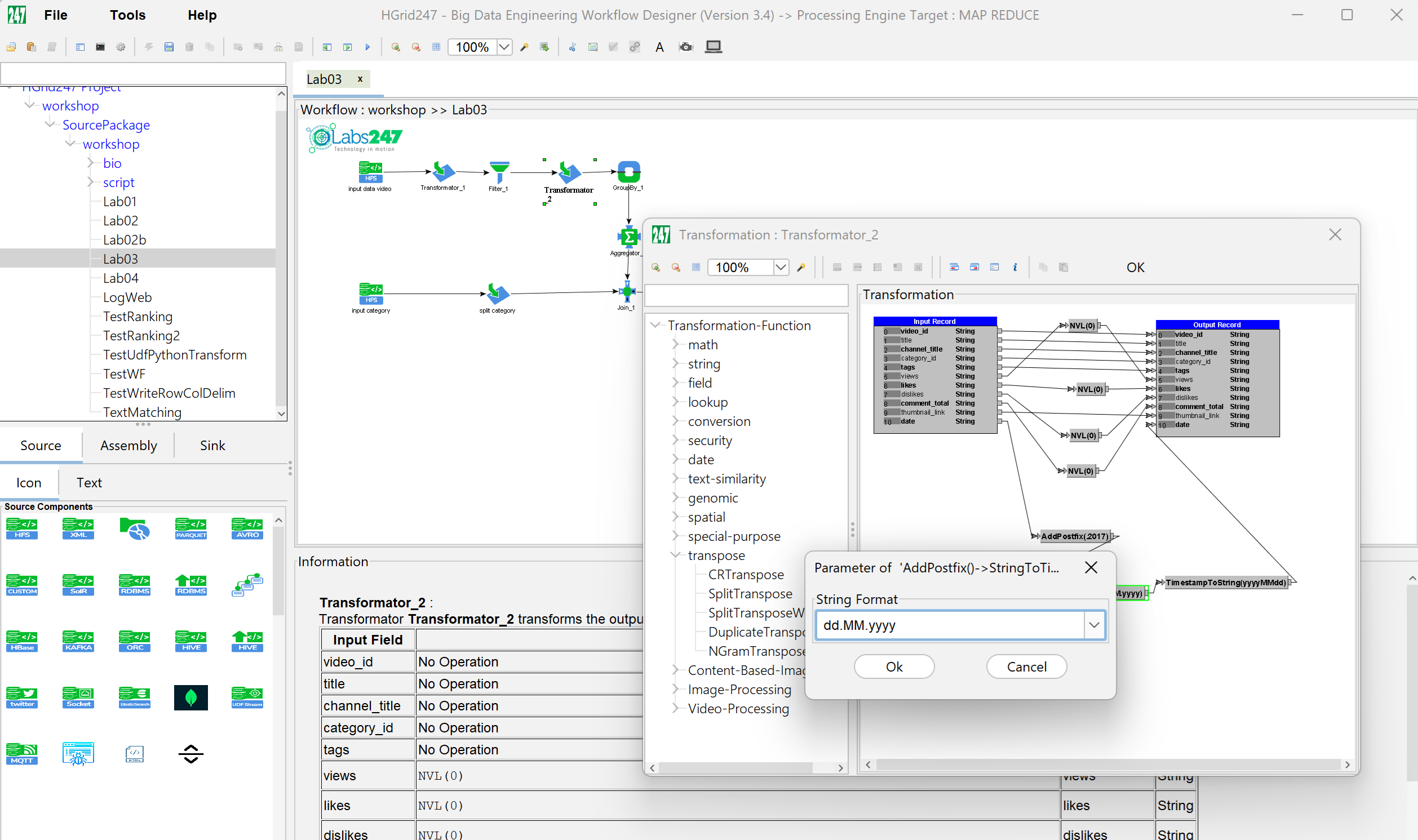
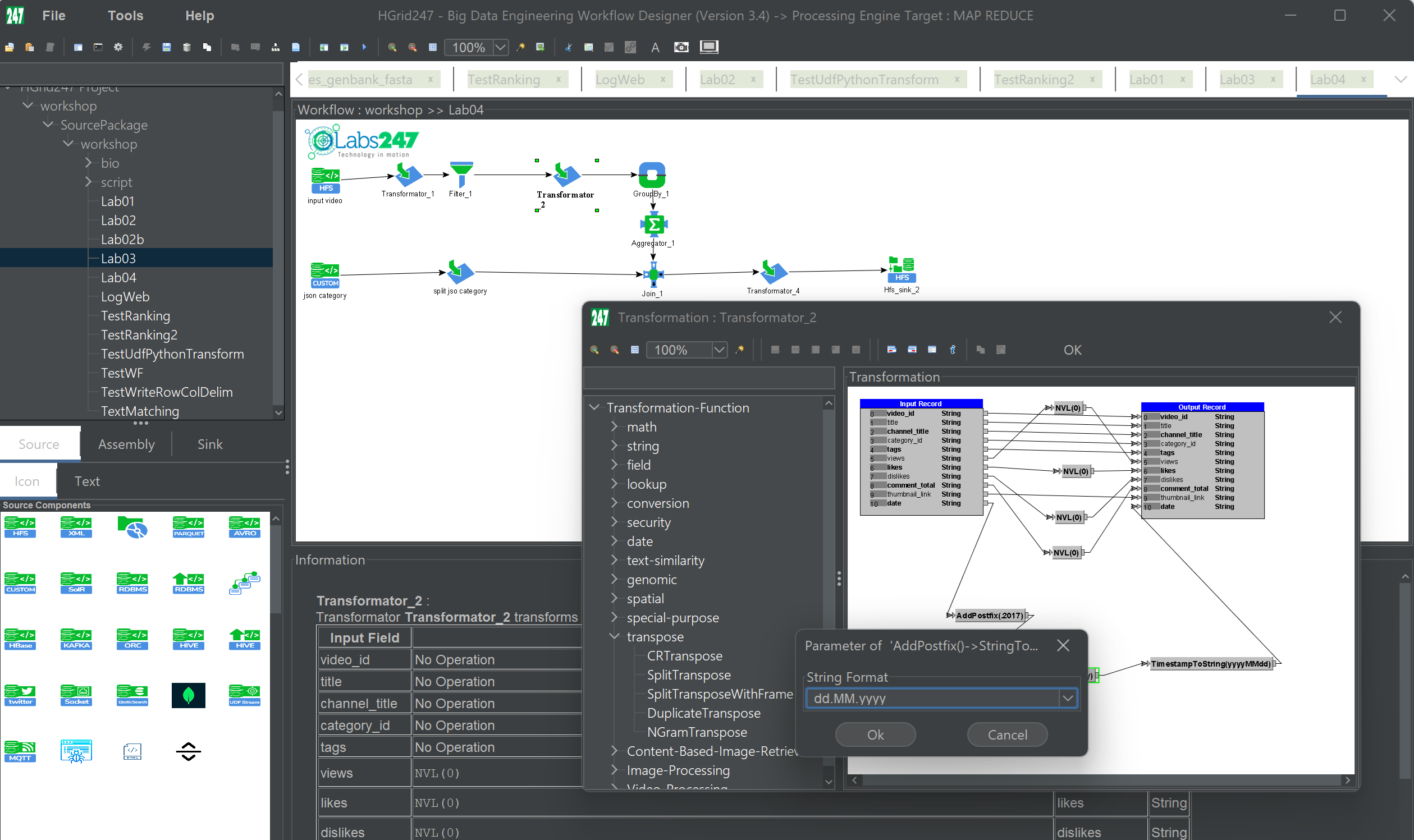
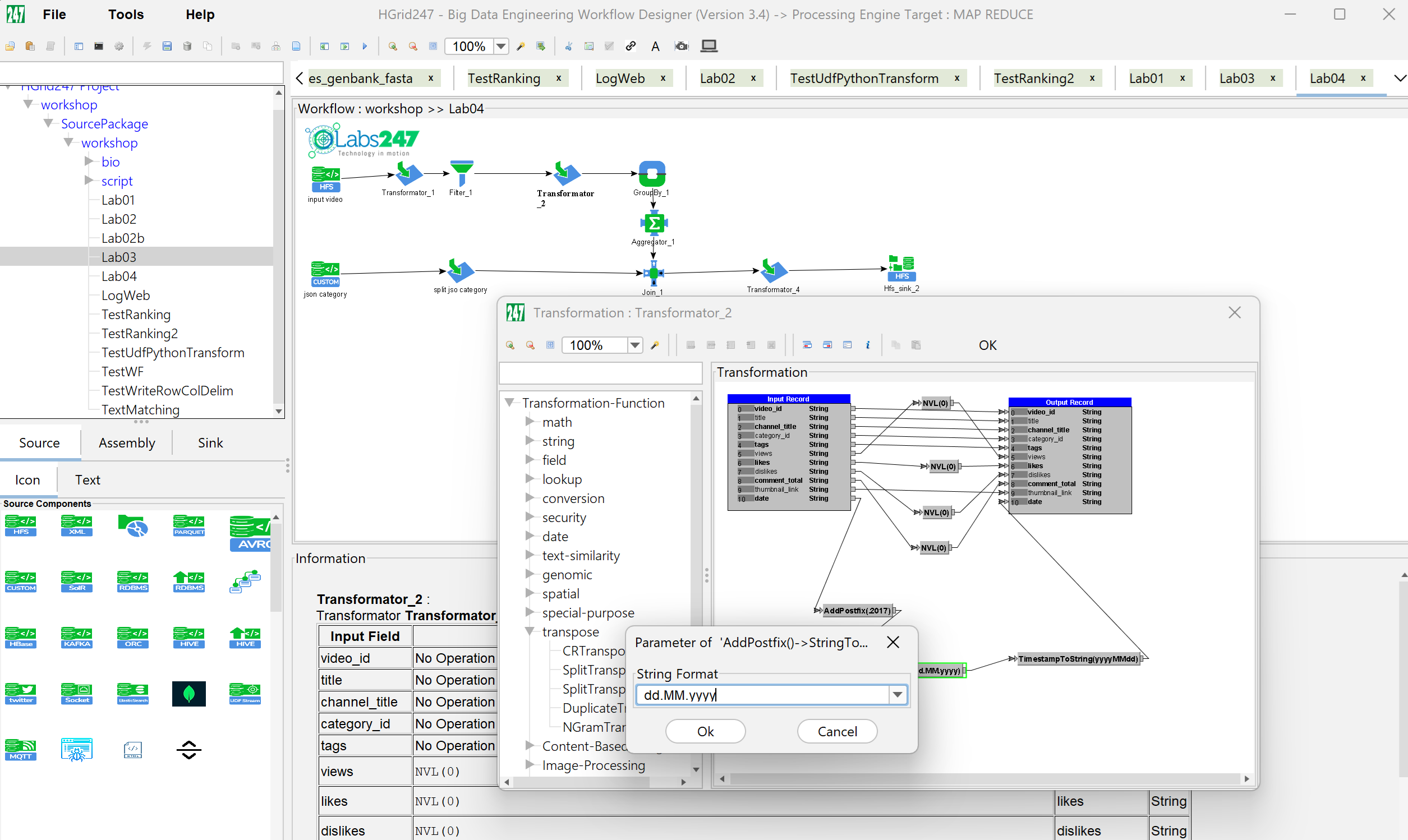
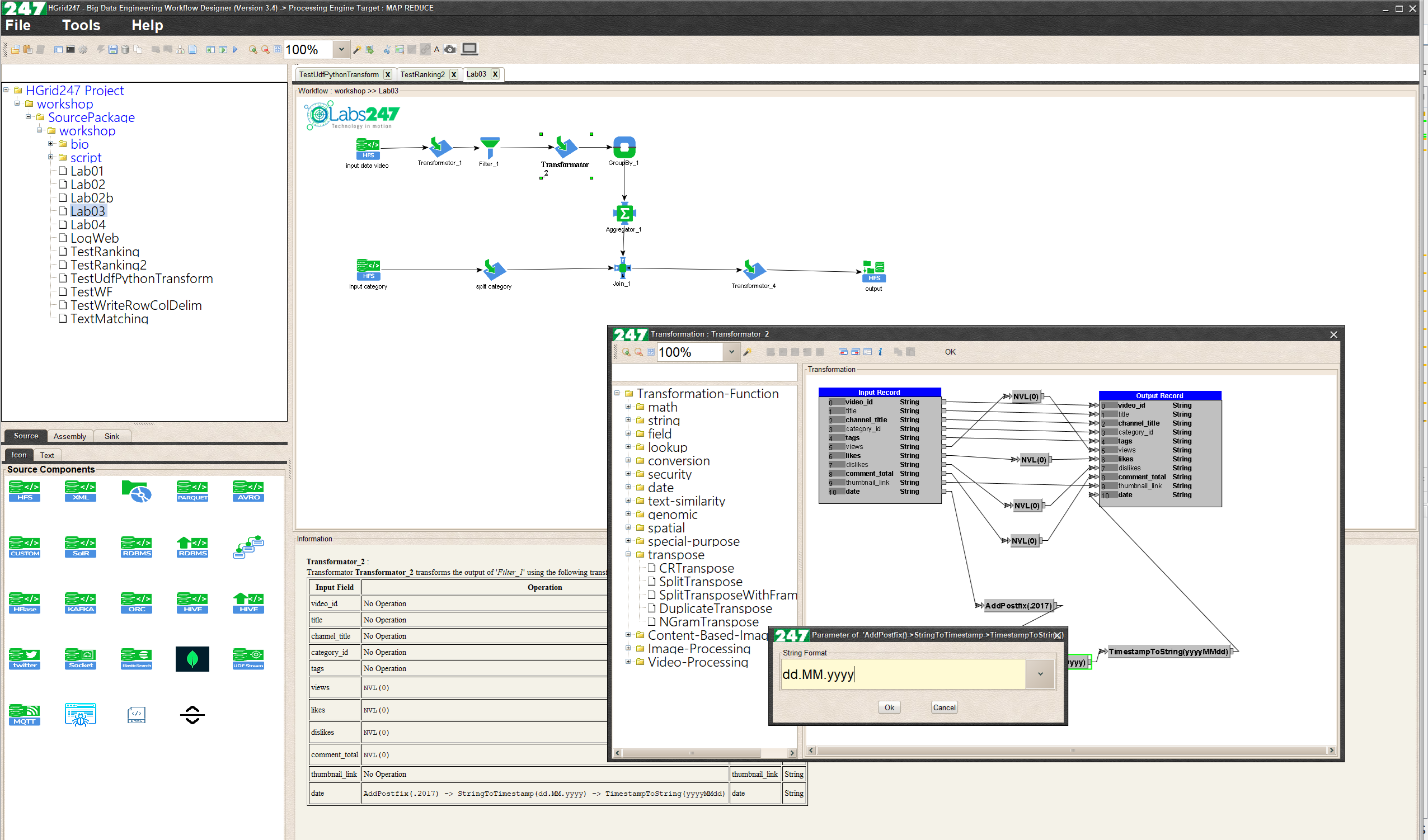
III. The following screenshots show the HGrid247-3.5 Main Window and Transformer dialog window for each Look and Feel setting.
(Captured on Windows 10 OS at 2560x1600 resolution)
- FlatLight Look and Feel, using configuration:
    LookAndFeel=FlatLigt
    EditorPane.font=Arial,0,24
    TextField.font=Arial,0,24
    Tree.font=Yu Gothic UI Semilight,0,24
    ComboBox.font=Arial,0,24
    Menu.font=Arial,1,26
    MenuItem.font=Arial,1,24
    MenuBar.font=Arial,1,24
    List.font=Courier New,1,24
    Panel.font=Arial,0,24
    Table.rowHeight=20
- FlatDark Look And Feel, Using configuration:
    LookAndFeel=FlatDark
    EditorPane.font=Arial,0,24
    TextField.font=Arial,0,24
    Tree.font=Yu Gothic UI Semilight,0,24
    ComboBox.font=Arial,0,24
    Menu.font=Arial,1,26
    MenuItem.font=Arial,1,24
    MenuBar.font=Arial,1,24
    List.font=Courier New,1,24
    Panel.font=Arial,0,24
    Table.rowHeight=20
- FlatIntelliJ Look an Feel, using configuration:
    LookAndFeel=FlatIntelliJ
    EditorPane.font=Arial,0,24
    TextField.font=Arial,0,24
    Tree.font=Yu Gothic UI Semilight,0,24
    ComboBox.font=Arial,0,24
    Menu.font=Arial,1,26
    MenuItem.font=Arial,1,24
    MenuBar.font=Arial,1,24
    List.font=Courier New,1,24
    Panel.font=Arial,0,24
    Table.rowHeight=20
- CrossPlatform Look and Feel, using configuration:
    LookAndFeel=CrossPlatform
    EditorPane.font=Arial,0,24
    TextField.font=Arial,0,24
    Tree.font=Yu Gothic UI Semilight,0,24
    ComboBox.font=Arial,0,24
    Menu.font=Arial,1,26
    MenuItem.font=Arial,1,24
    MenuBar.font=Arial,1,24
    List.font=Courier New,1,24
    Panel.font=Arial,0,24
    Table.rowHeight=20
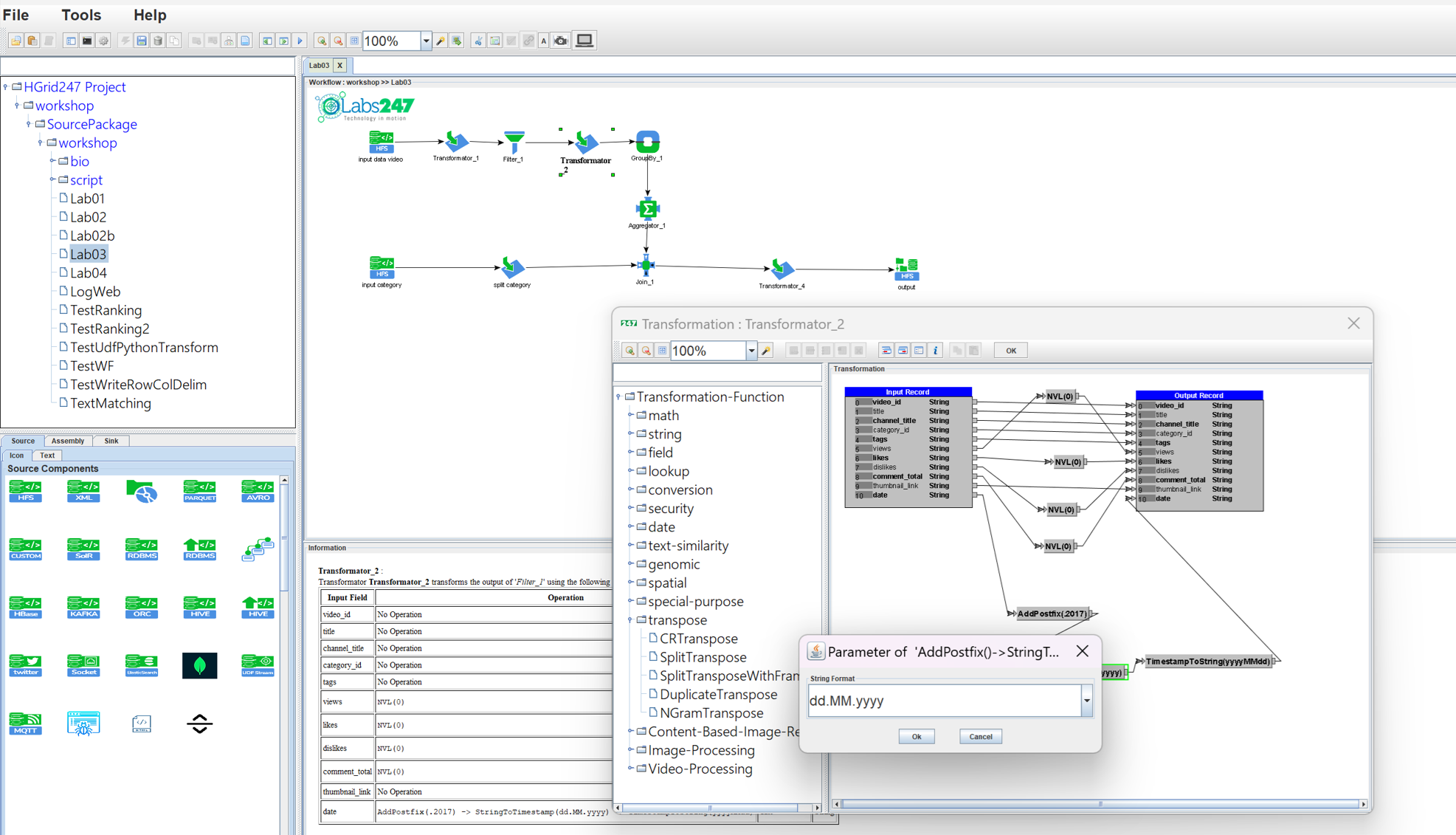
- System Look and Feel, using configuration:
    LookAndFeel=System
    EditorPane.font=Arial,0,24
    TextField.font=Arial,0,24
    Tree.font=Yu Gothic UI Semilight,0,24
    Tree.rowHeight=22
    ComboBox.font=Arial,0,24
    Menu.font=Arial,1,26
    MenuItem.font=Arial,1,24
    MenuBar.font=Arial,1,24
    List.font=Courier New,1,24
    Panel.font=Arial,0,24
    Table.rowHeight=20
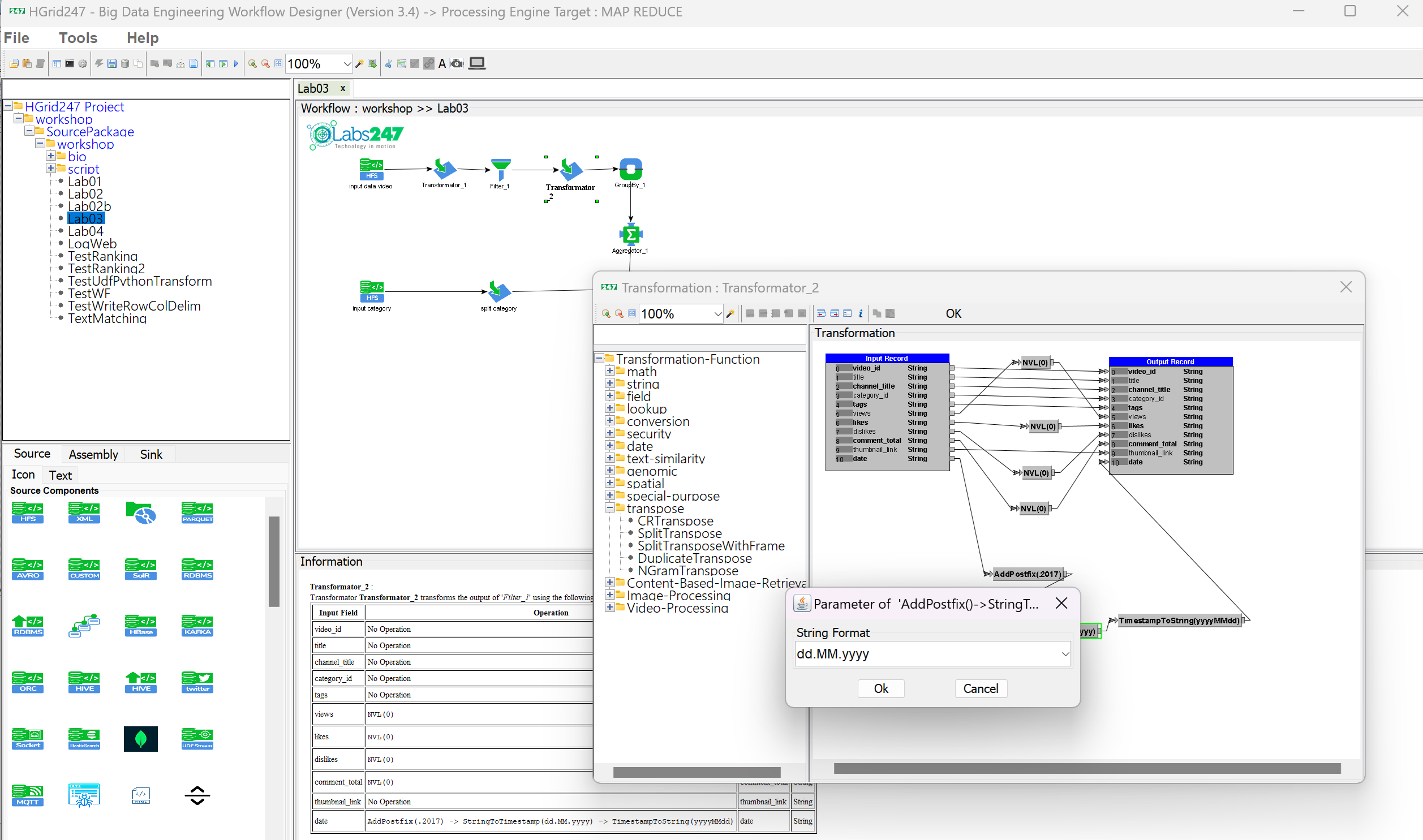
- Motif Look and Feel, using configuration:
    LookAndFeel=Motif
    EditorPane.font=Arial,0,24
    TextField.font=Arial,0,24
    Tree.font=Yu Gothic UI Semilight,0,26
    Tree.rowHeight=24
    ComboBox.font=Arial,0,24
    Menu.font=Arial,1,26
    MenuItem.font=Arial,1,24
    MenuBar.font=Arial,1,24
    List.font=Courier New,1,24
    Panel.font=Arial,0,24
    Table.rowHeight=20
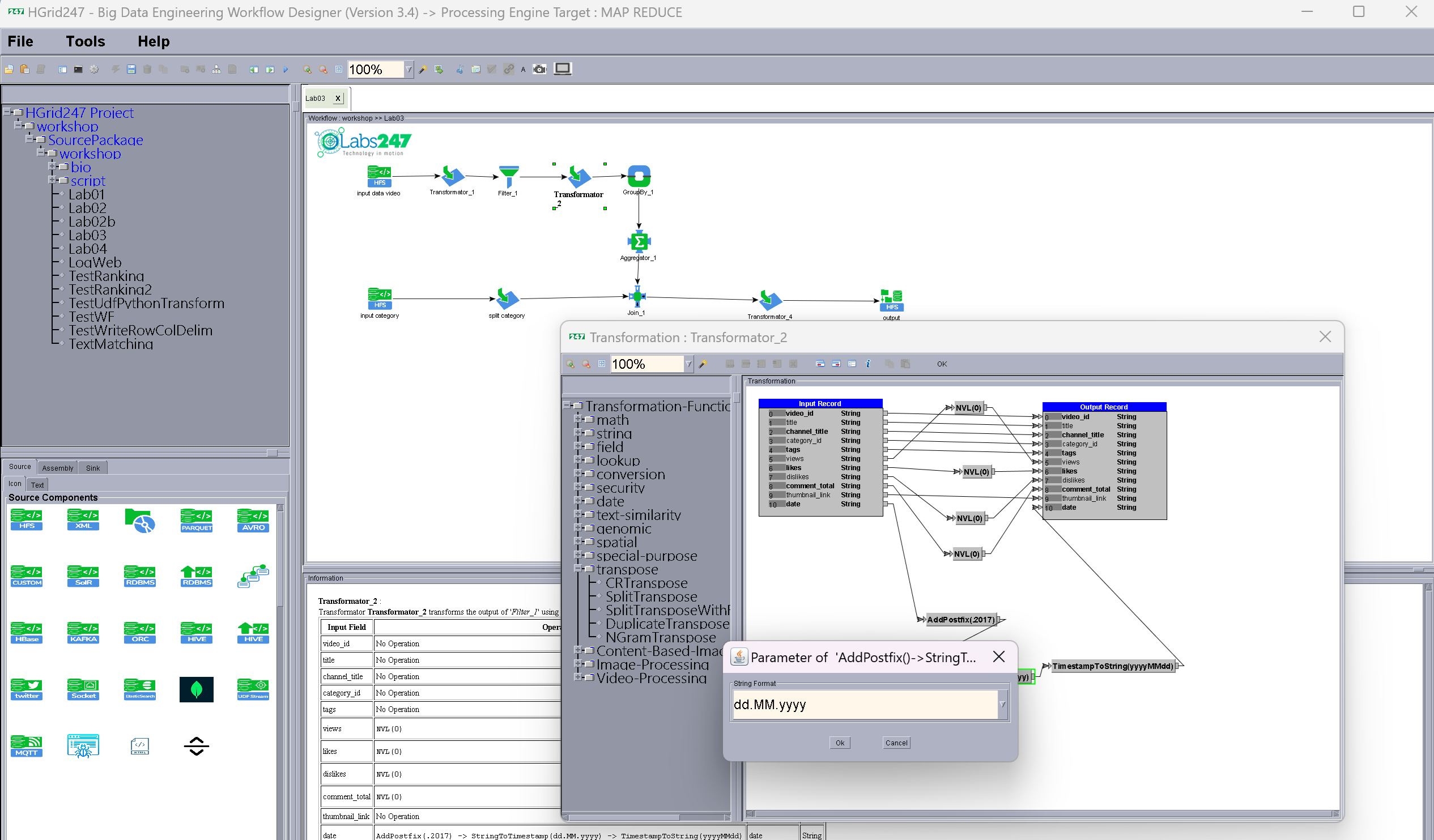
- Windows Look and Feel, using configuration:
    LookAndFeel=Window
    EditorPane.font=Arial,0,24
    TextField.font=Arial,0,24
    Tree.font=Yu Gothic UI Semilight,0,24
    ComboBox.font=Arial,0,24
    Menu.font=Arial,1,26
    MenuItem.font=Arial,1,24
    MenuBar.font=Arial,1,24
    List.font=Courier New,1,24
    Panel.font=Arial,0,24
    Table.rowHeight=20
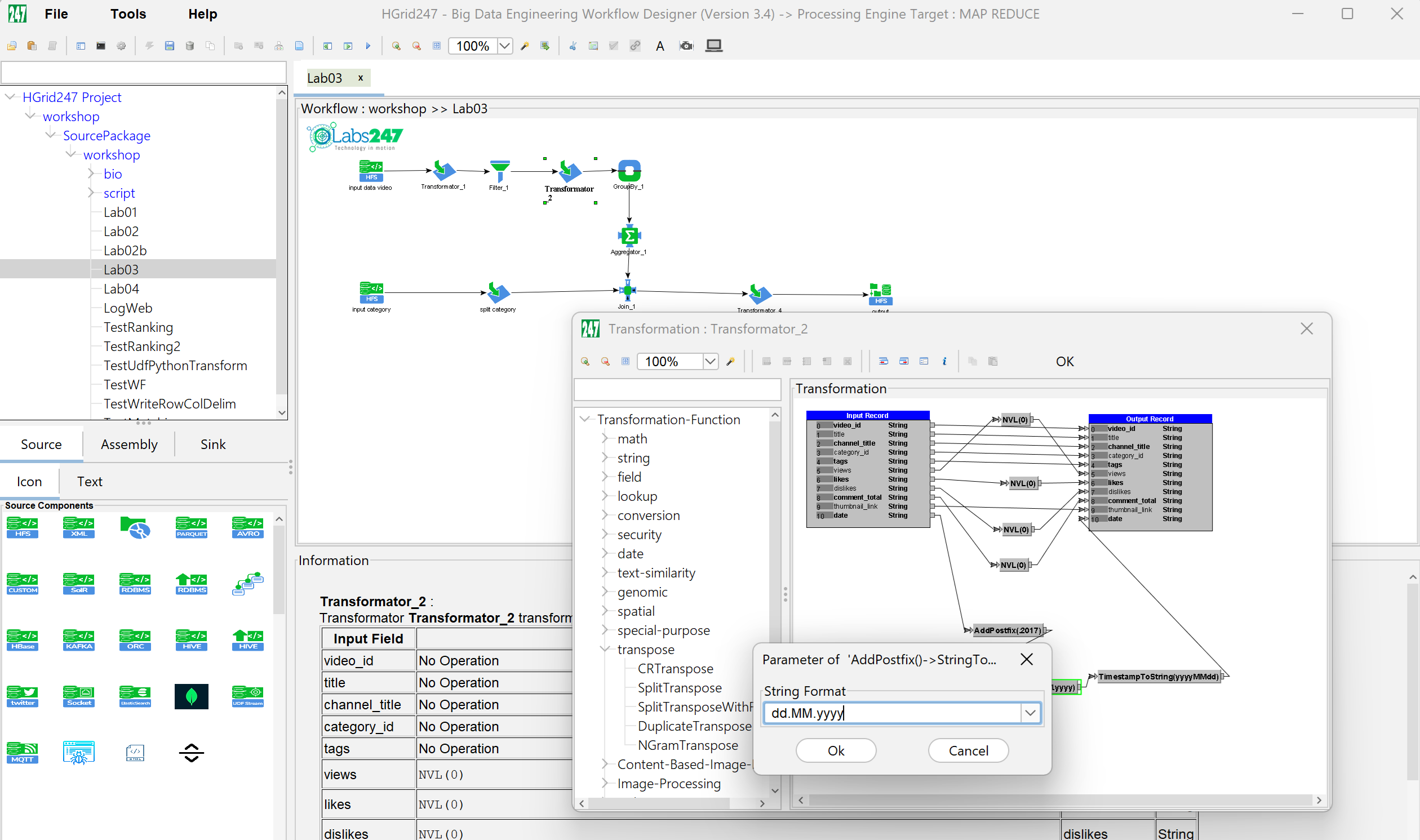
- Nimbus Look and Feel, using configuration:
    LookAndFeel=Nimbus
    EditorPane.font=Arial,0,24
    TextField.font=Arial,0,24
    Tree.font=Yu Gothic UI Semilight,0,24
    ComboBox.font=Arial,0,24
    Menu.font=Arial,1,26
    MenuItem.font=Arial,1,24
    MenuBar.font=Arial,1,24
    List.font=Courier New,1,24
    Panel.font=Arial,0,24
    Table.rowHeight=20
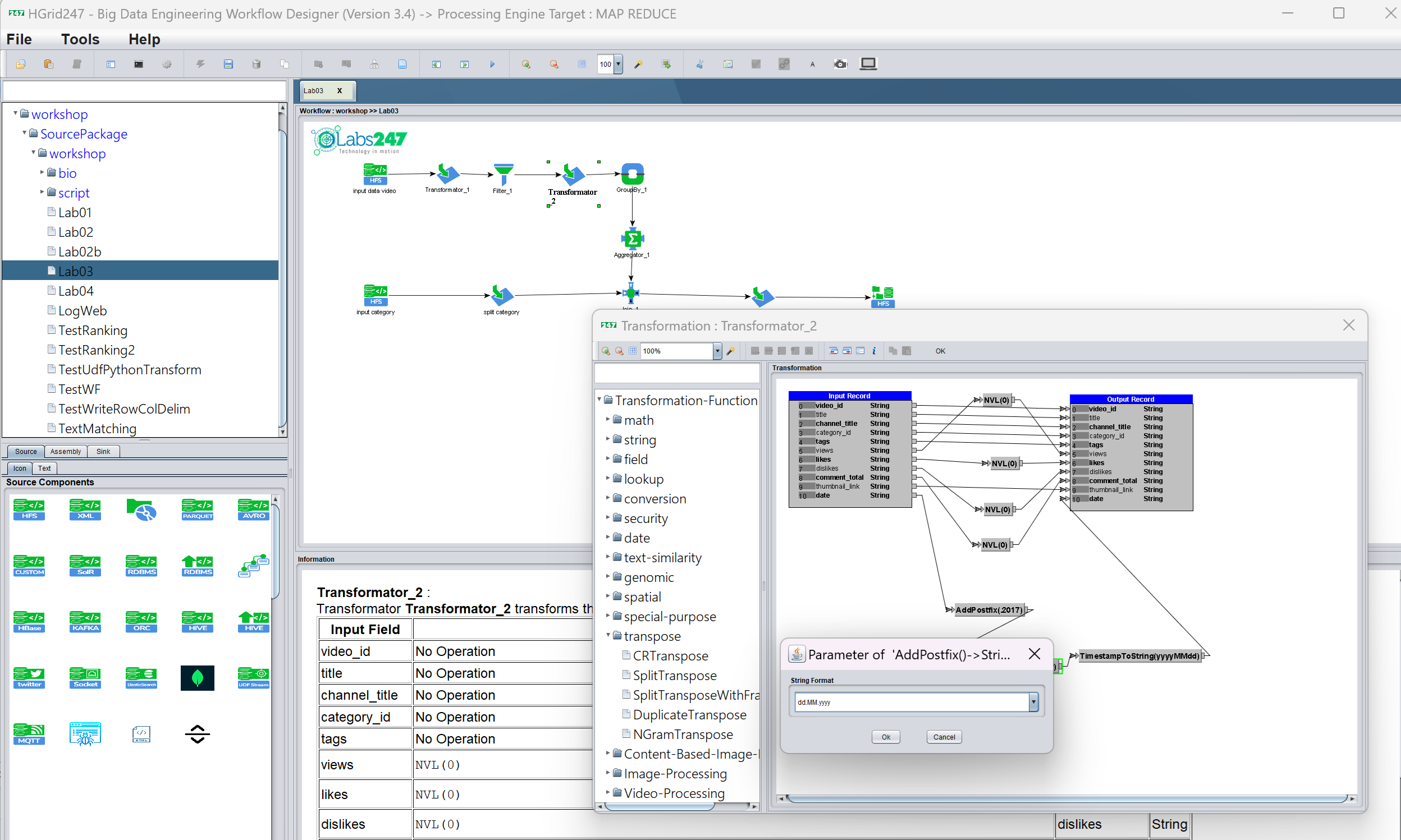
- Web Look and Feel, using configuration:
    LookAndFeel=Web
    EditorPane.font=Arial,0,24
    TextField.font=Arial,0,24
    Tree.font=Yu Gothic UI Semilight,0,24
    ComboBox.font=Arial,0,24
    Menu.font=Arial,1,26
    MenuItem.font=Arial,1,24
    MenuBar.font=Arial,1,24
    List.font=Courier New,1,24
    Panel.font=Arial,0,24
    Table.rowHeight=20
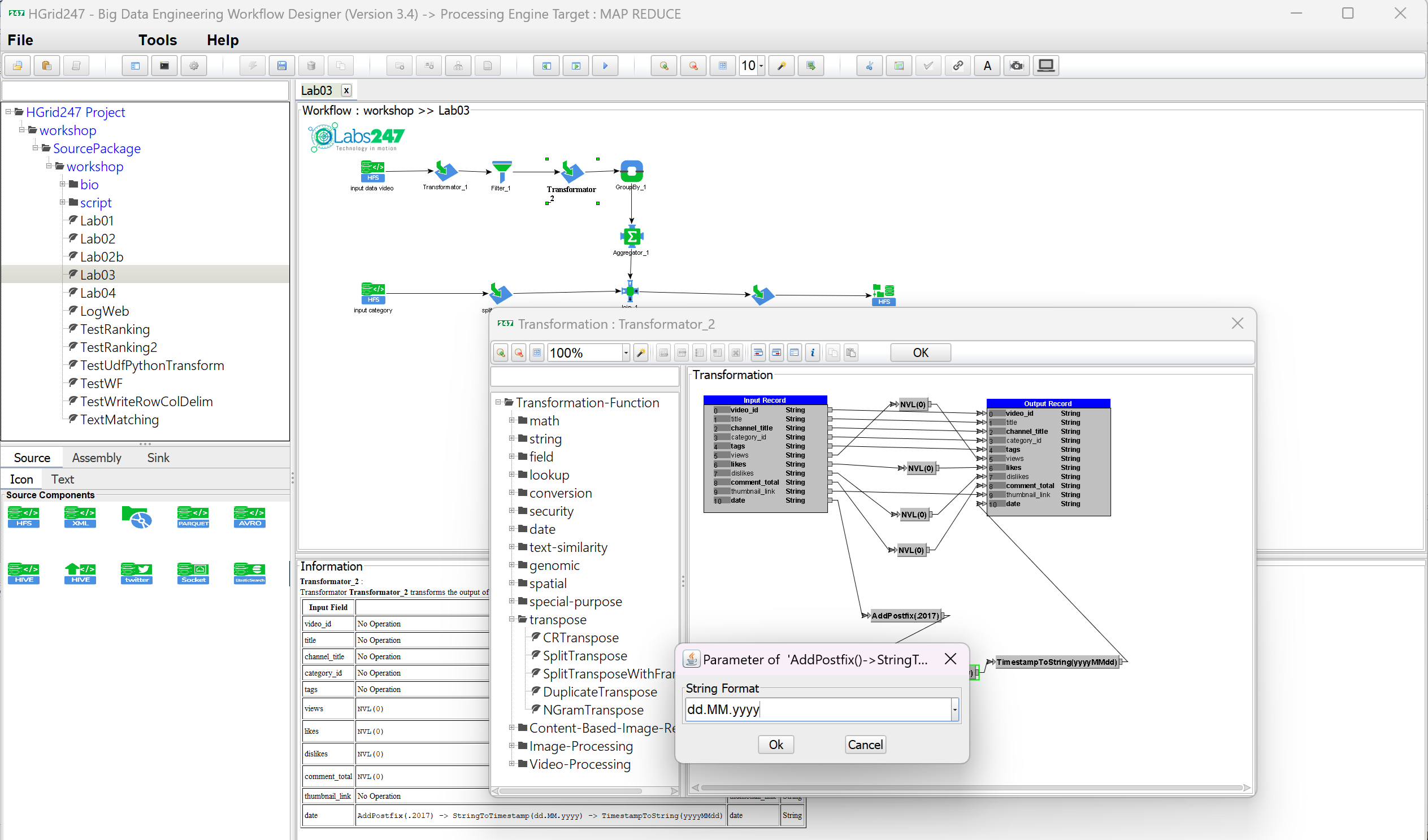
- Metal Look and Feel, using configuration:
    LookAndFeel=Metal
    EditorPane.font=Arial,0,24
    TextField.font=Arial,0,24
    Tree.font=Yu Gothic UI Semilight,0,24
    ComboBox.font=Arial,0,24
    Menu.font=Arial,1,26
    MenuItem.font=Arial,1,24
    MenuBar.font=Arial,1,24
    List.font=Courier New,1,24
    Panel.font=Arial,0,24
    Table.rowHeight=20
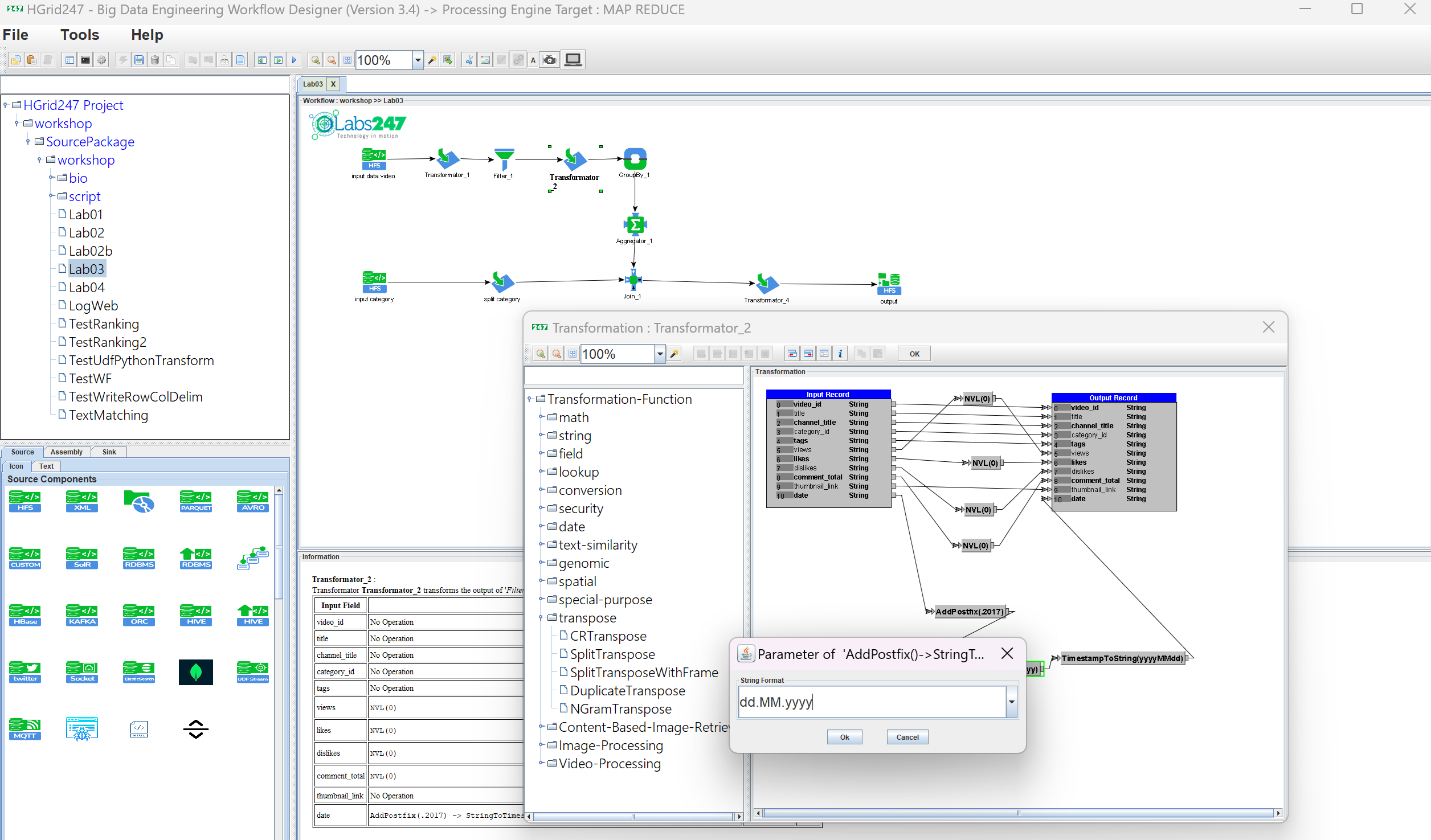
- BeautyEye Look and Feel, using configuration:
    LookAndFeel=BeautyEye
    EditorPane.font=Arial,0,24
    TextField.font=Arial,0,24
    Tree.font=Yu Gothic UI Semilight,0,24
    Tree.rowHeight=24
    ComboBox.font=Arial,0,24
    Menu.font=Arial,1,26
    MenuItem.font=Arial,1,24
    MenuBar.font=Arial,1,24
    List.font=Courier New,1,24
    Panel.font=Arial,0,24
    Table.rowHeight=20
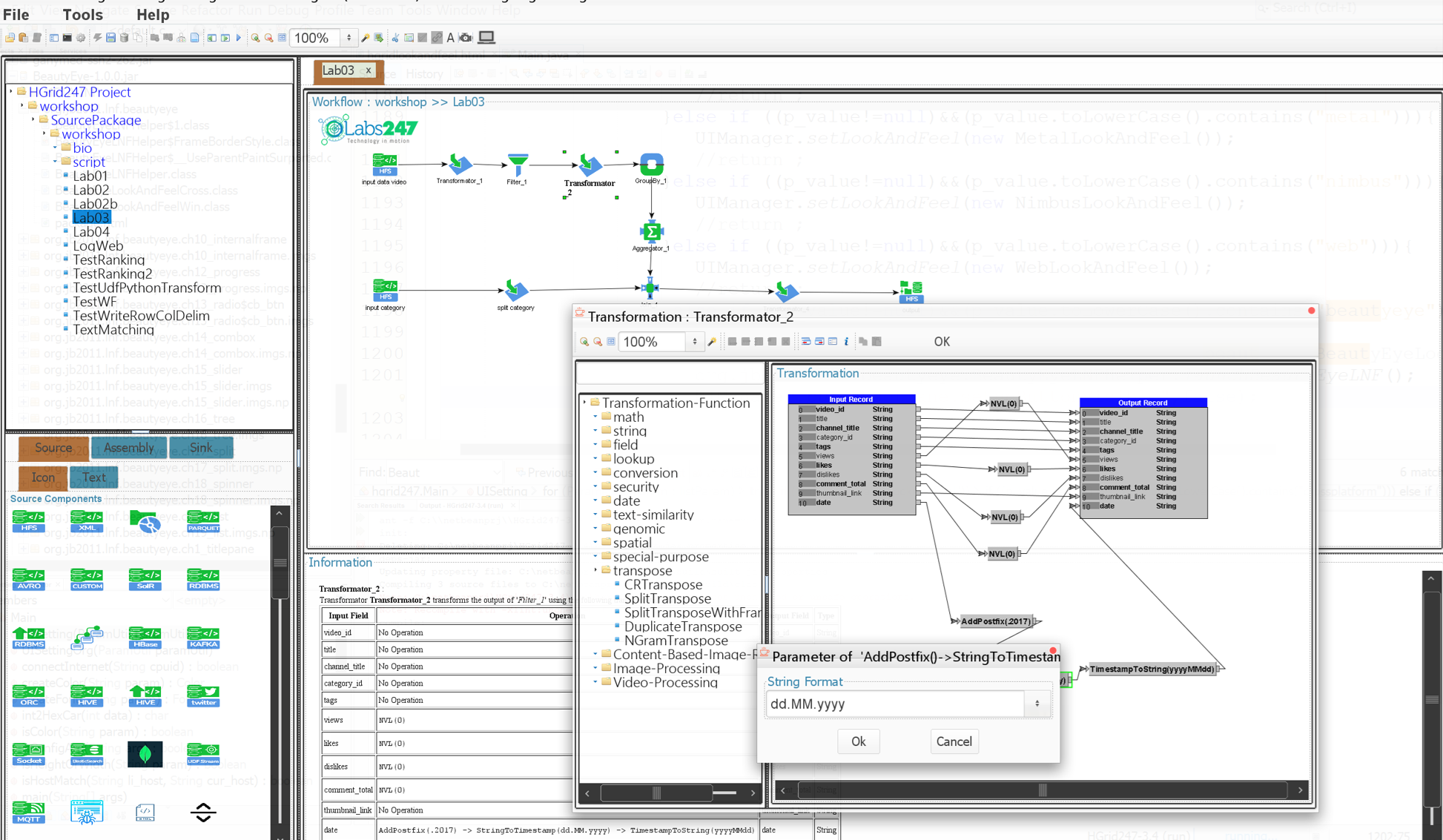
- Tattoo Look and Feel, using configuration:
    LookAndFeel=Tattoo
    EditorPane.font=Arial,0,24
    TextField.font=Arial,0,24
    Tree.font=Yu Gothic UI Semilight,0,24
    Tree.rowHeight=24
    ComboBox.font=Arial,0,24
    Menu.font=Arial,1,26
    MenuItem.font=Arial,1,24
    MenuBar.font=Arial,1,24
    List.font=Courier New,1,24
    Panel.font=Arial,0,24
    Table.rowHeight=20
Note : Some Swing object properties are ignored or overridden by certain Look and Feel (LAF) implementations.
