|
Workflow Property
|
Workflow Property HGrid247
Workflow Properties are used to:
➡️ Set workflow execution configuration
➡️ Determine engine behavior (MapReduce, Spark, Flink, etc.)
➡️ Optimize performance & logging
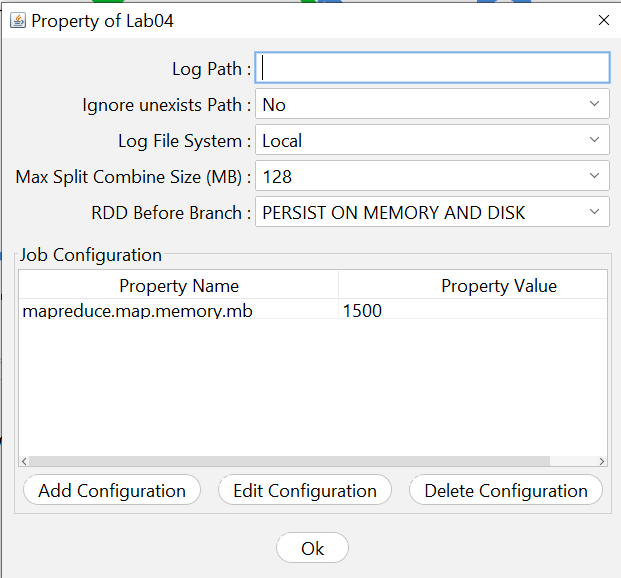
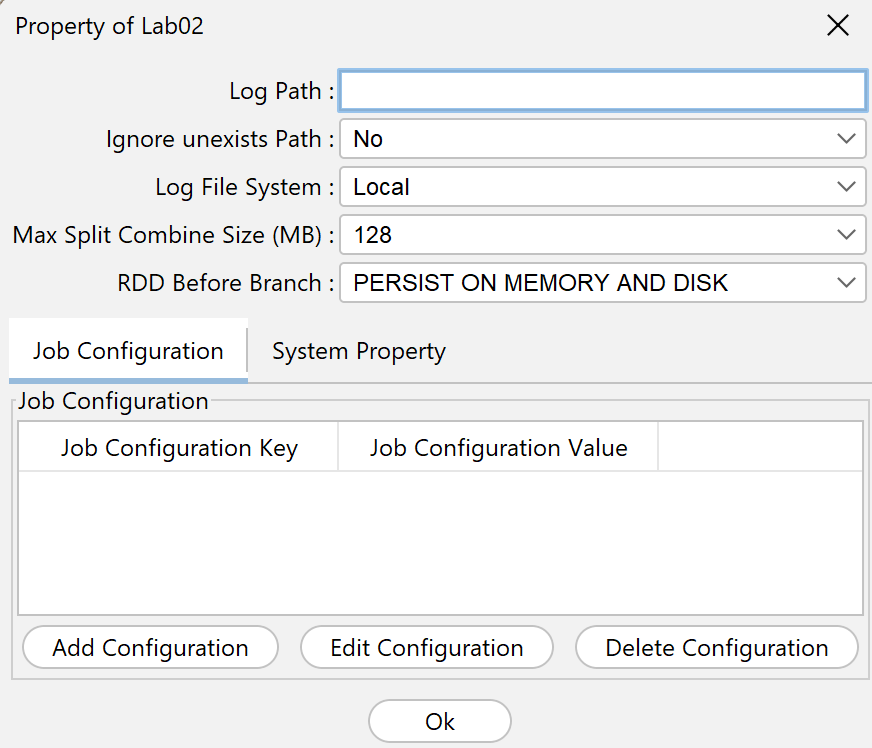
| Batch System |
|
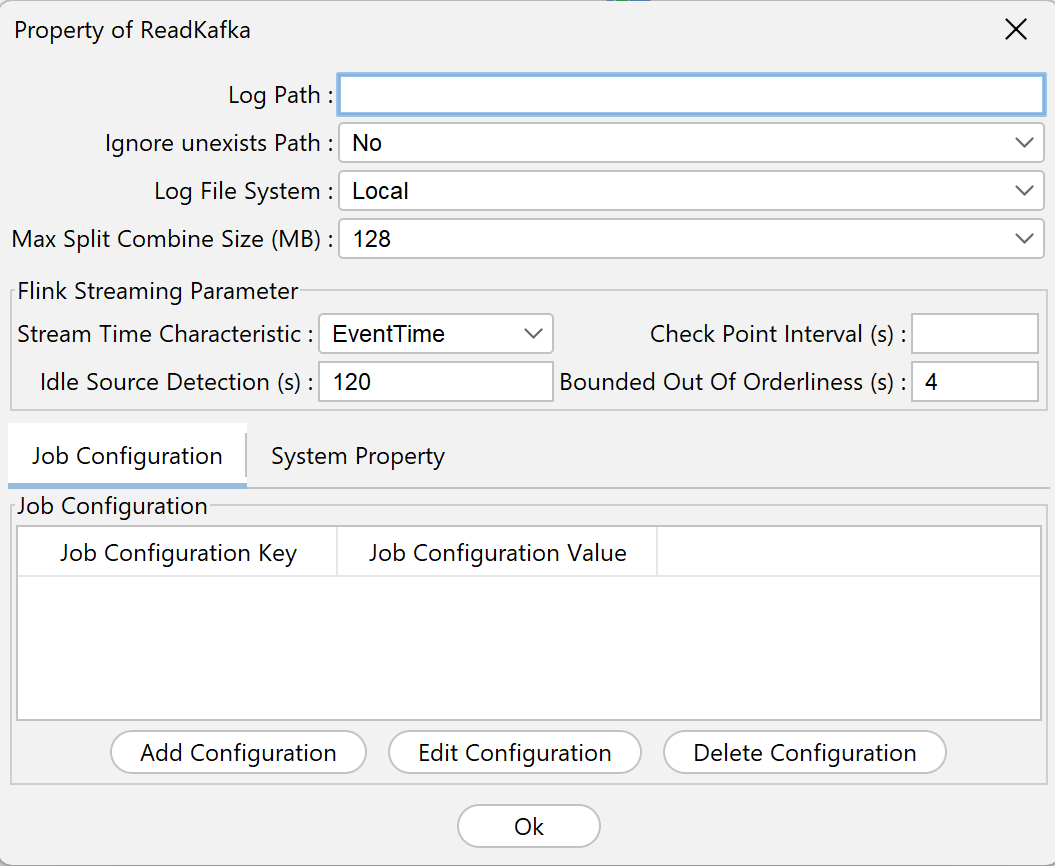
Streaming System |
 |
|
 |
General Workflow Property
- Log Path
Log file storage location
Example:
/logs/hgrid247/
- Ignore unexists Path
If true:
-
No error even though the log path doesn't exist yet
If false:
-
Will error if path not found
- Log File System
Specify the log location:
- Local→ stored on local machine
- HDFS→ stored in Hadoop
- Max Split Combine Size (MB) :
Set the maximum size of the combined file when processing
Function:
-
Reducing the number of small files (small files problem)
- RDD Before Brach
Setting up caching before branching RDDs in Apache Spark
Options:
- PERSIST ON MEMORY AND DISK
- PERSIST ON MEMORY ONLY
- PERSIST ON DISK ONLY
- DON'T PERSIST
Recommendations:
-
Use MEMORY AND DISKfor big data
- Flink Streaming Parameters
-
Stream Time Characteristic
Options:
- EventTime→ based on the original event time
- ProcessingTime→ based on system time
Use:
- EventTime → for accurate real-time data
- ProcessingTime → for faster performance
-
Check Point Interval
Checkpoint interval (seconds)
Function:
-
Fault tolerance (recovery jika error)
-
Idle Source Detection
Inactive source detection (seconds)
-
Bounded Out Of Orderliness
Tolerance limit (in second) for incoming data not in sequence ( out of orderliness of events)
- Job Configuration
Job Configuration of workflow.
Job Configuration (Most Important)
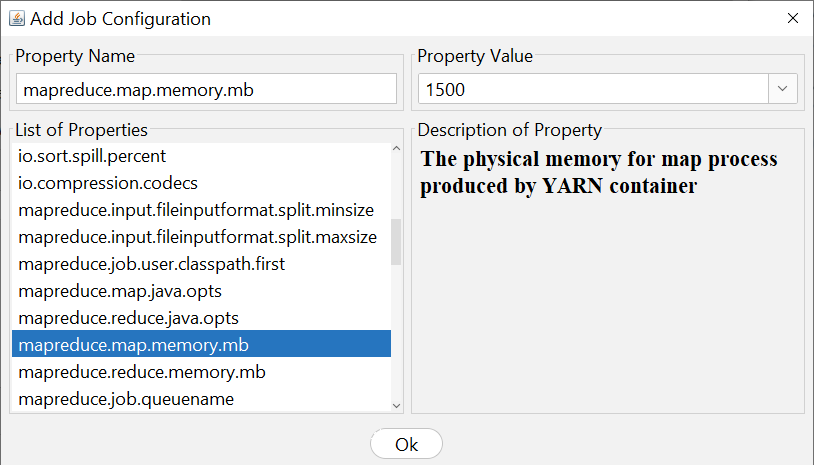
Used to add engine parameters (Spark, Hadoop, etc.)
How to Add
- Click Add Configuration
- Select Property Name
- Fill Property Value
- Click OK